Service Reminders
When managing fleets, a lot is happening on any given day. Instead of remembering when the oil needs to be changed for all of your vehicles or writing it down and hoping you remember to glance at it in time, Service Reminders do the work for you once they're set up in the Fleet management system. These reminders use a schedule based on an interval you set and pop up when a Service Task is close to being due (referred to as "Due Soon" in the Fleet management system).
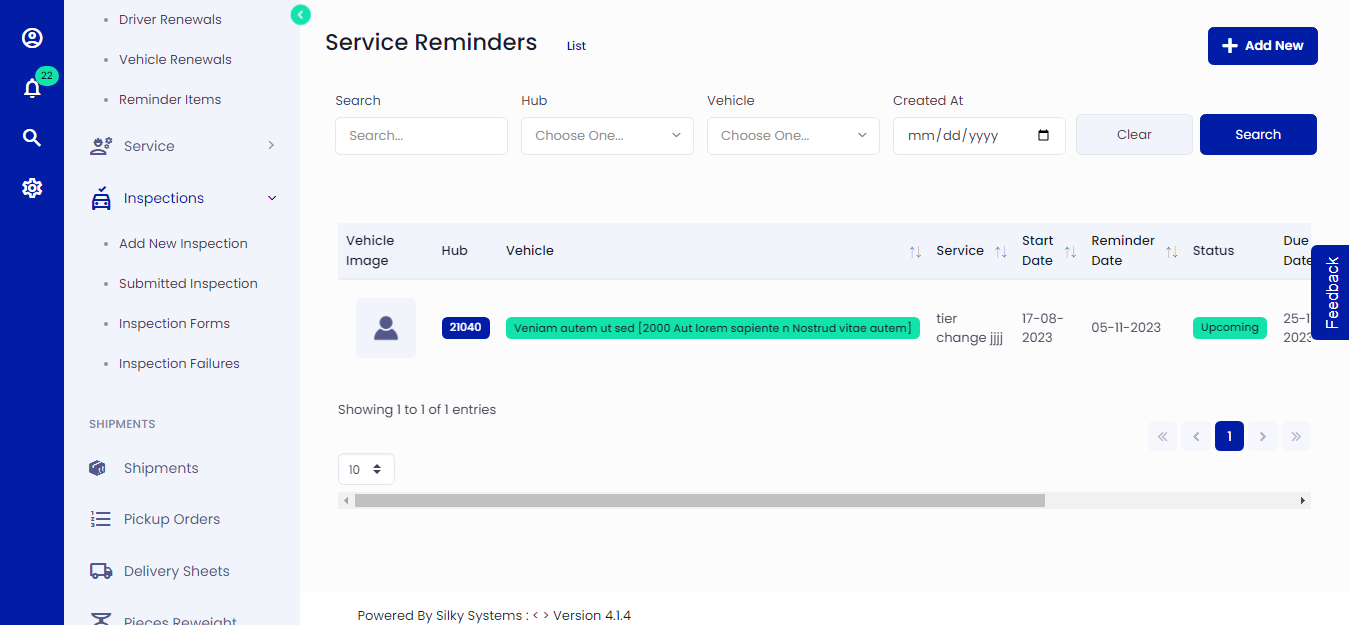 Figure.01 Service Reminder
Add a Service Reminder
Go to the Reminders and select the Service Reminders tab. Then, click the + Add New button.
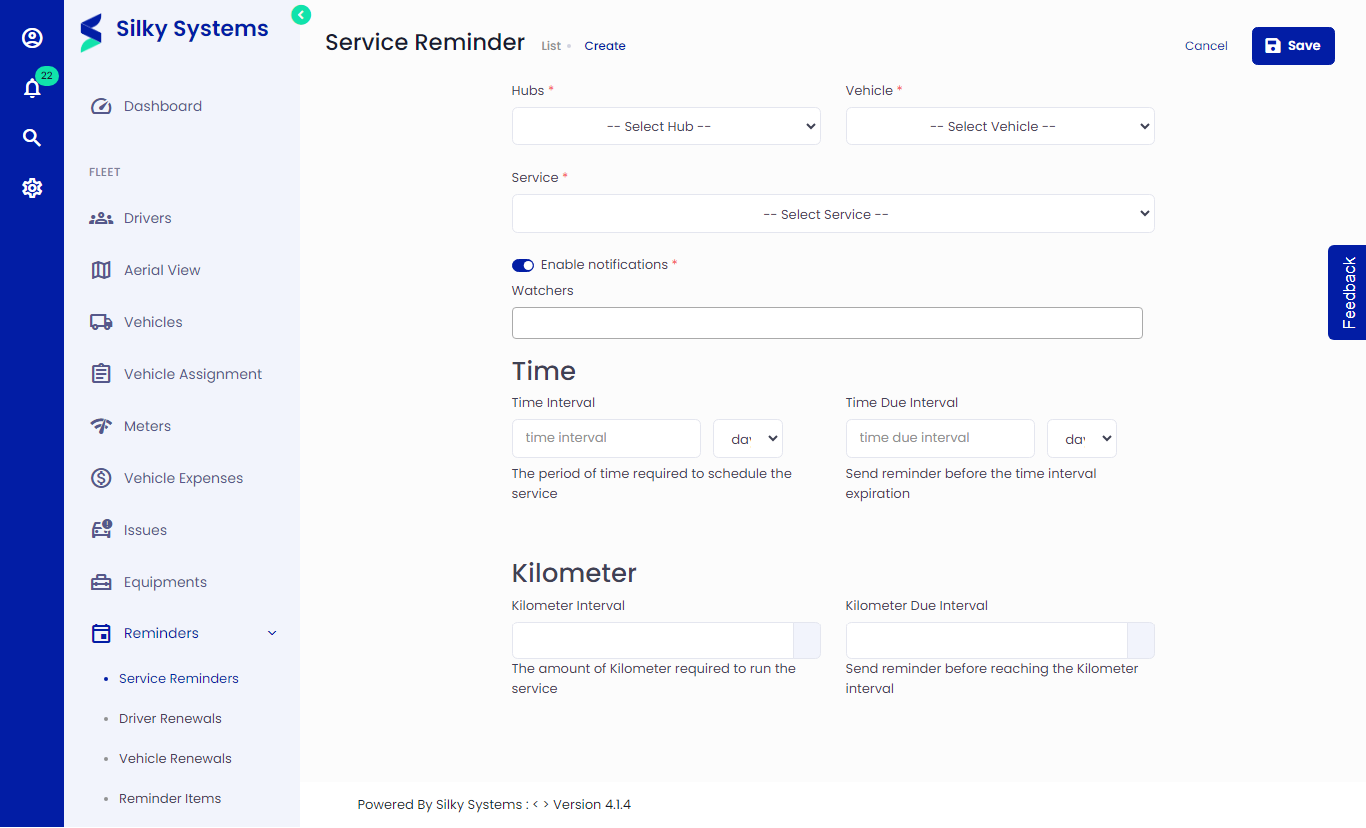 Figure.02 Add a Service Reminder
Select a Service Task
Select a service task using the drop-down menu. This can be an existing service task, or if there isn't a match in the Fleet management system, you have the option to create a task.
Choose When the Service Task is Due
This section creates the reminder schedule.
The intervals (Time and Meter) affect how often the Service Reminder will be generated. The Due Soon interval (Time and Meter) affect when the Service Task is considered "due soon" in the Fleet management system. Once the interval is met, the reminder will have a "due soon" indicator.
At least one interval is required to set up a Service Reminder, but you can add more. This may be the case if you want a Service Task completed every six months, or every 5,000 miles, whichever comes first.
If there is NO previous Service Entry history for this task, the first due date and first due meter fall back to the default value.
- The first due date is always based on the creation date of the reminder. The due date is calculated by adding the time interval to the creation date of the reminder.
- The first due meters will always use the reminder interval as the first due primary meter. This ensures that the reminder will reset to its initial value if any service data is accidentally recorded and later deleted.
If service has already been performed but has not been recorded in the Fleet management system, you can apply a manual override to the due values. Once a Service Reminder reaches the "Due Soon" threshold on the schedule, the reminder will have an indicator, and you'll be notified.
Set Notifications
The fleet management system will send Notifications to Watchers when a Service Reminder is "Due Soon" and/or "Overdue." Select the checkbox to send notifications, or de-select it to disable them.
 Figure.04 Add a Service Reminder
Better control how these notifications are delivered in your Settings -> Notifications You can receive a single email and/or push notification per Service Reminder you are watching.
Edit or Delete Individual Service Reminders
You can edit or delete service reminders from Reminders -> Service Reminders under the Action column.