Aerial View
The admin can track the driver's locations on the Aerial view page in real-time.
Only approved driver's account are visible in the Aerial view.
Note: Sometimes, the driver's location is not updated because some driver may have disabled the GPS from the mobile app. you can check the last time his location has been updated from the previously updated attribute
It will refresh automatically by dragging over the map to show more drivers.
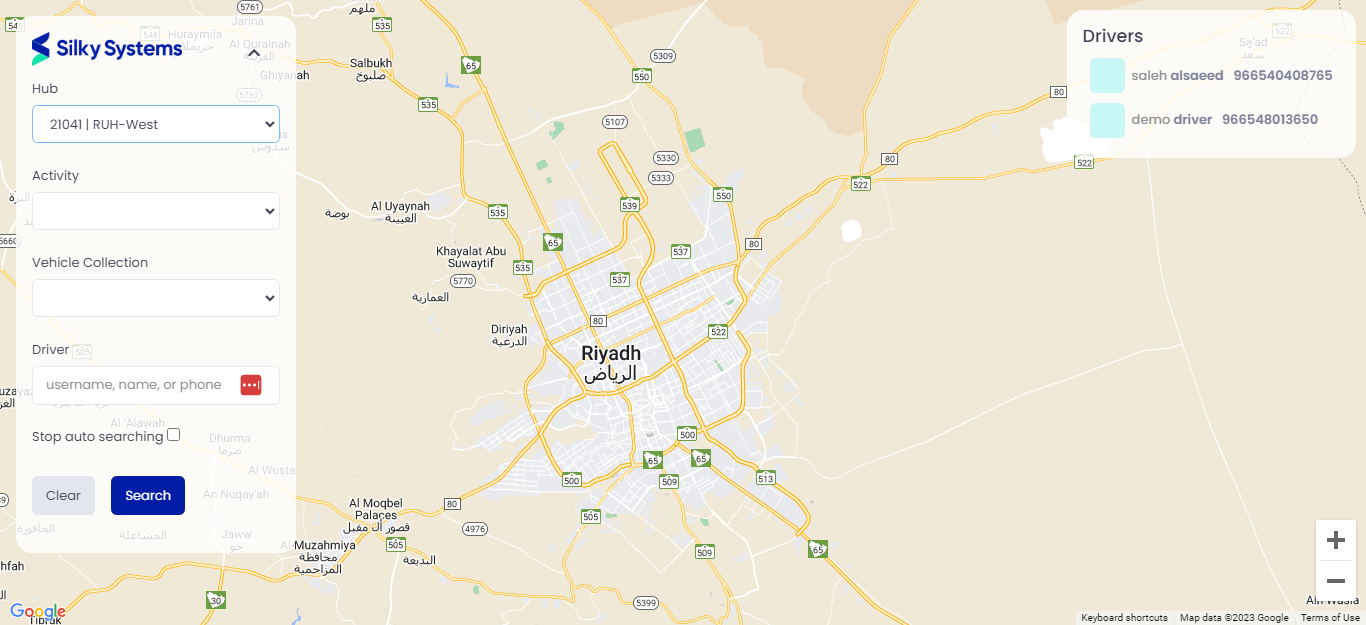 Figure.01 Aerial View
You also can filter out by Hubs, drivers, start date and end date using the available filters. After applying a filter, you must click the search button or continue dragging the map to refresh it.
By clicking on a driver from the right panel, the map will point you to his location on a small open window in the map.