Dashboard
The Dashboard feature of the Logistics system provides an overview of the entire logistics management process. It shows different modules such as fleet, shipment, delivery, and management, and displays Key Performance Indicators (KPIs) and analytical metrics related to these modules. The dashboard feature is designed to provide real-time data on the logistics process, enabling users to make informed decisions quickly and efficiently.
The Dashboard is the first screen to load when you log in to your Logistics account, and you may quickly return at any time by navigating to the top link in the left sidebar menu:
 Figure.01 Dashboard Menu
Fleet
The fleet module of the Logistics system dashboard provides information on the vehicles and drivers involved in the logistics process. It displays the number of vehicles in the fleet, the number of active and inactive vehicles, and the average age of the vehicles. This module also shows information on the drivers, including the total number of drivers, the number of active and inactive drivers, and the average experience of the drivers. Additionally, the module displays the status of the vehicles, such as whether they are available, in use, or undergoing maintenance.
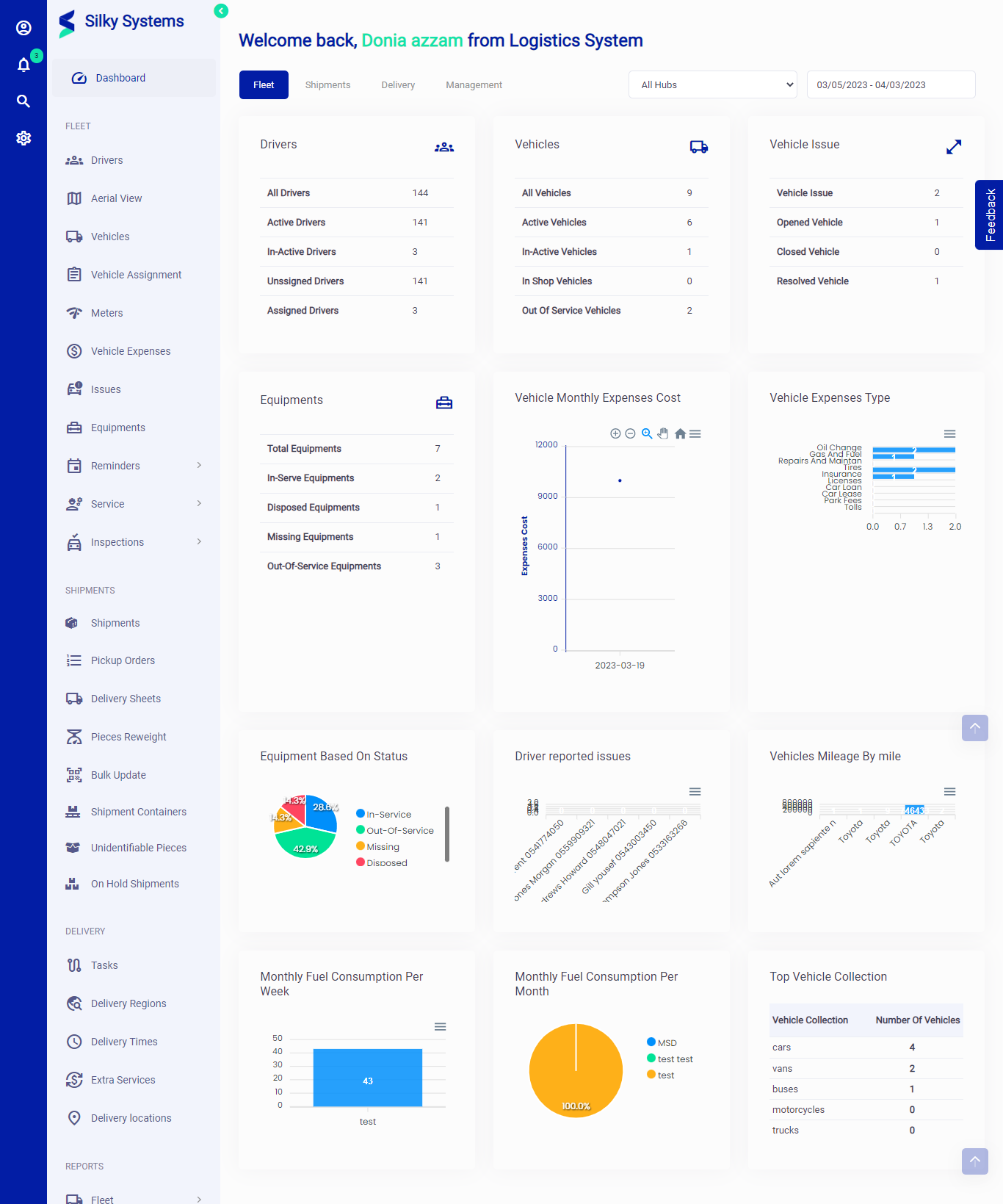 Figure.02 Fleet
Shipment
The shipment module of the Logistics system dashboard provides an overview of the shipments being transported. It displays the number of shipments being transported, the number of active and inactive shipments, and the average time taken to transport a shipment. This module also shows the current status of the shipment, such as whether it is in transit, delivered, or returned. Furthermore, the module provides information on the type of shipment being transported, including the weight, volume, and value of the shipment.
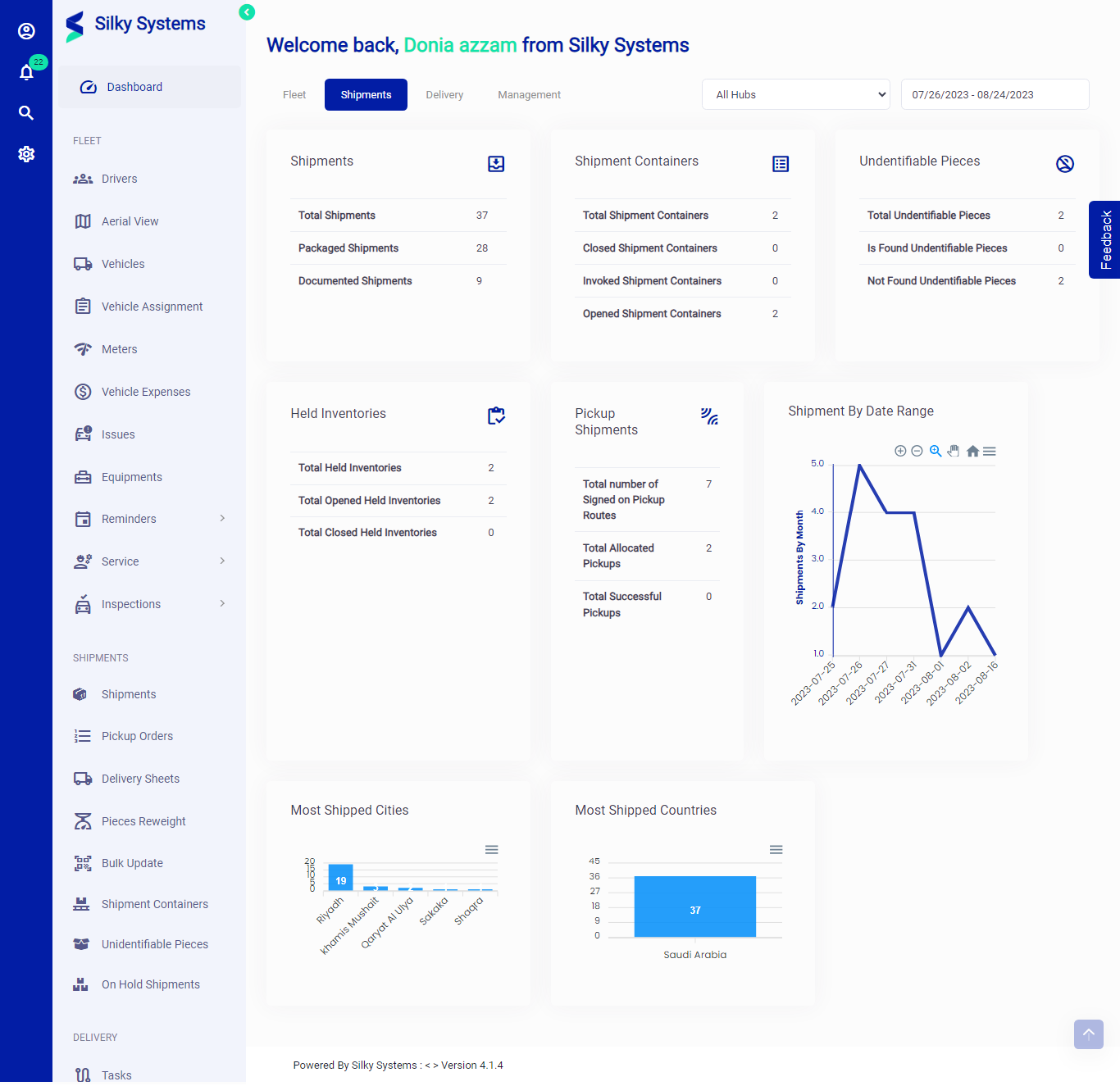 Figure.03 Shipment
Delivery
The delivery module of the Logistics system dashboard provides information on the delivery process. It displays the number of deliveries made, the number of successful and unsuccessful deliveries, and the average time taken to deliver a shipment. This module also shows the delivery location and the delivery time. Additionally, the module displays the status of the delivery, such as whether it was delivered on time, delayed, or cancelled.
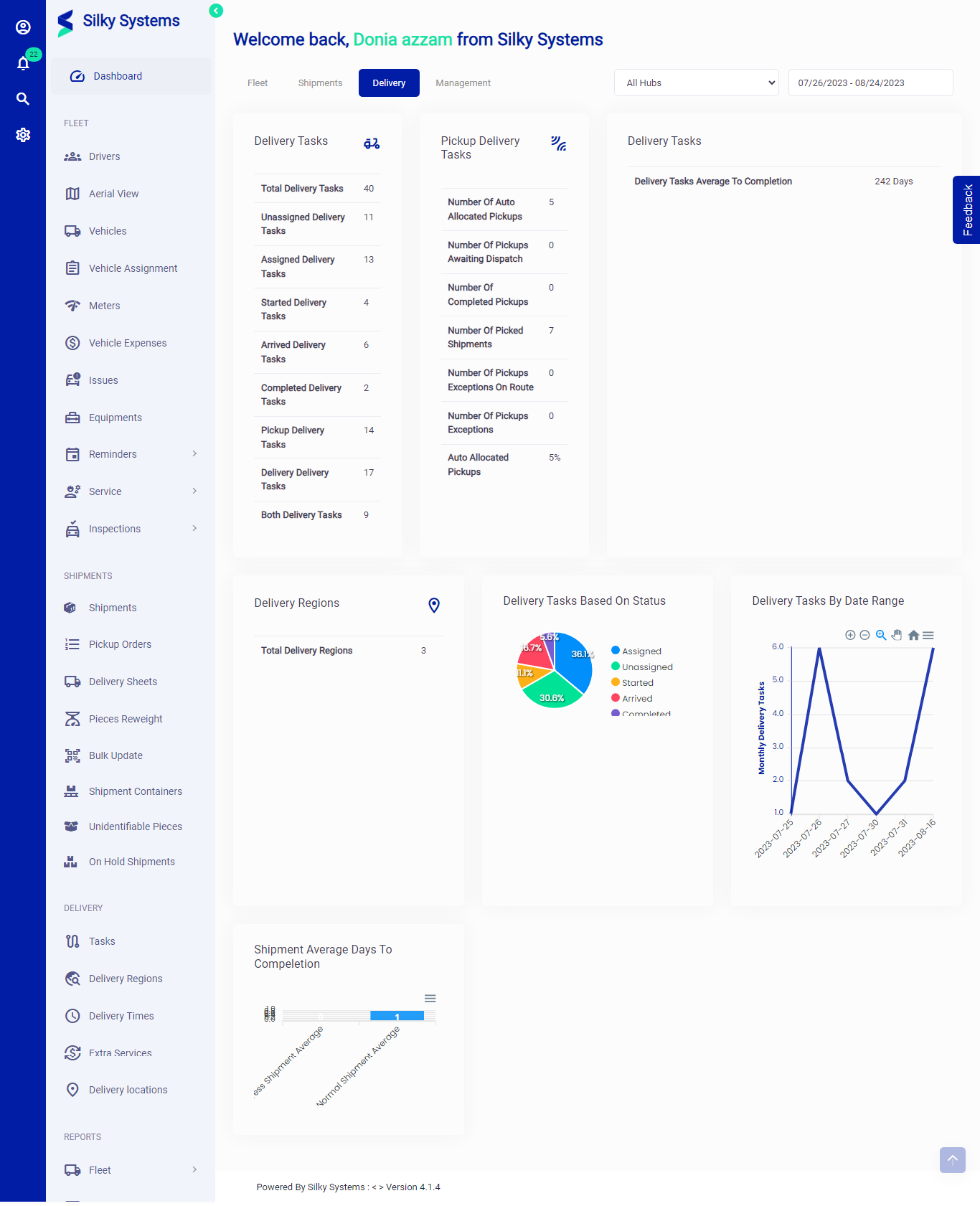 Figure.04 Delivery
Management
The management module of the Logistics system dashboard provides an overview of the logistics management process. It displays the number of employees involved in logistics management, the number of active and inactive employees, and the average experience of the employees. This module also shows the number of warehouses and their current status, such as whether they are available, full, or under maintenance. Additionally, the module displays the total logistics cost, the logistics cost per shipment, and the logistics cost per delivery.
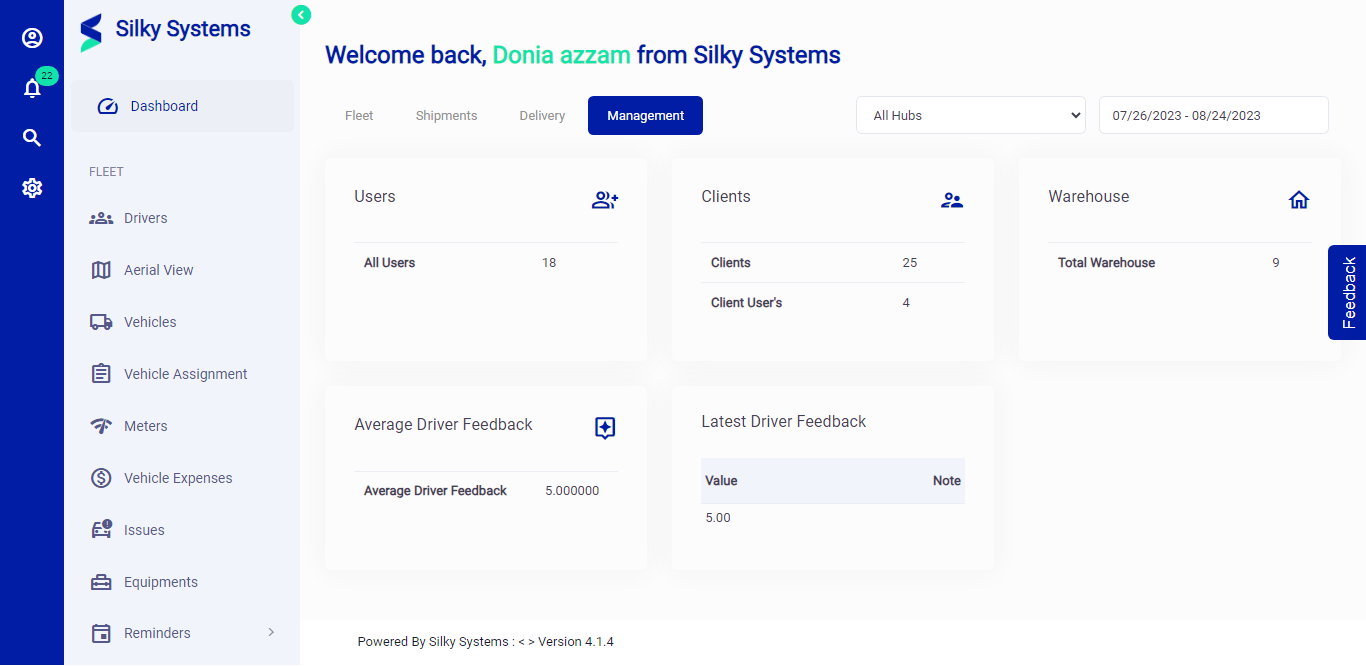 Figure.06 Management
Conclusion
The dashboard feature of the Logistics system provides a comprehensive overview of the entire logistics process. It displays key performance indicators and analytical metrics related to the fleet, shipment, delivery, and management modules. This real-time data enables users to make informed decisions quickly and efficiently. By using the dashboard feature, logistics managers can identify areas that need improvement, optimize the logistics process, and reduce costs.