Vehicle Expenses
Vehicle Expenses helps you keep a record of all the costs of your vehicles. This assists you in keeping tabs on all vehicle management expenses.
Expense Types
Expense types are the categories of expenses. The Fleet management system provides you with some default expense types. They are:
- Oil Change
- Gas & Fuel
- Repairs & Maintenance
- Tires
- Insurance
- Licenses
- Car Loan Interest
- Car Lease Payments
- Parking Fees
- Tolls
You can edit or create your expense types in Settings -> Vehicle Expense Types.
Add Expenses
Creating Vehicle Expenses
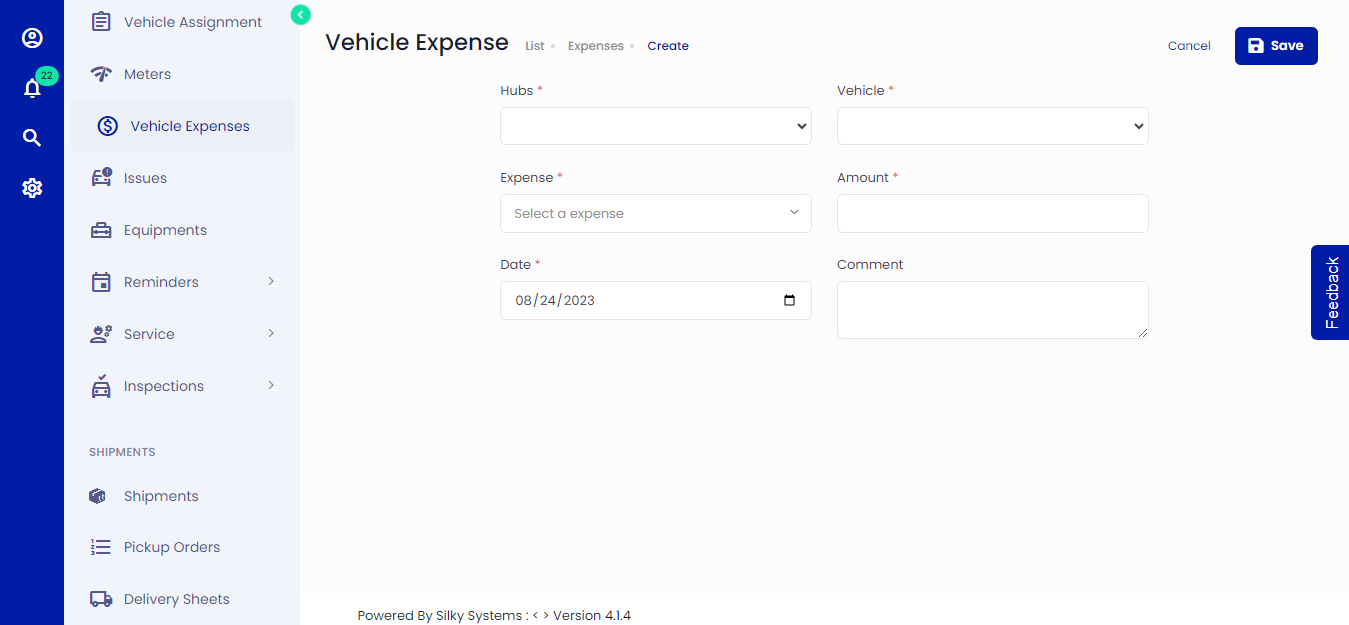 Figure.01 Add Vehicle Expenses
Click on Vehicle Expenses -> Add New
Select a Hub and Vehicle
Select Expense Type
Enter the amount of expense and date
Click save when you are done.
You can edit/delete the vehicle expenses.
View Vehicle Expenses History
Expense entries can be viewed from the Dashboard, the Vehicle Expenses list, or the Vehicle Overview section.
Dashboard
In the Dashboard Fleet section, you can view the total costs of all the expenses of all the vehicles under Total Vehicle Expenses Cost
Vehicle Expenses List
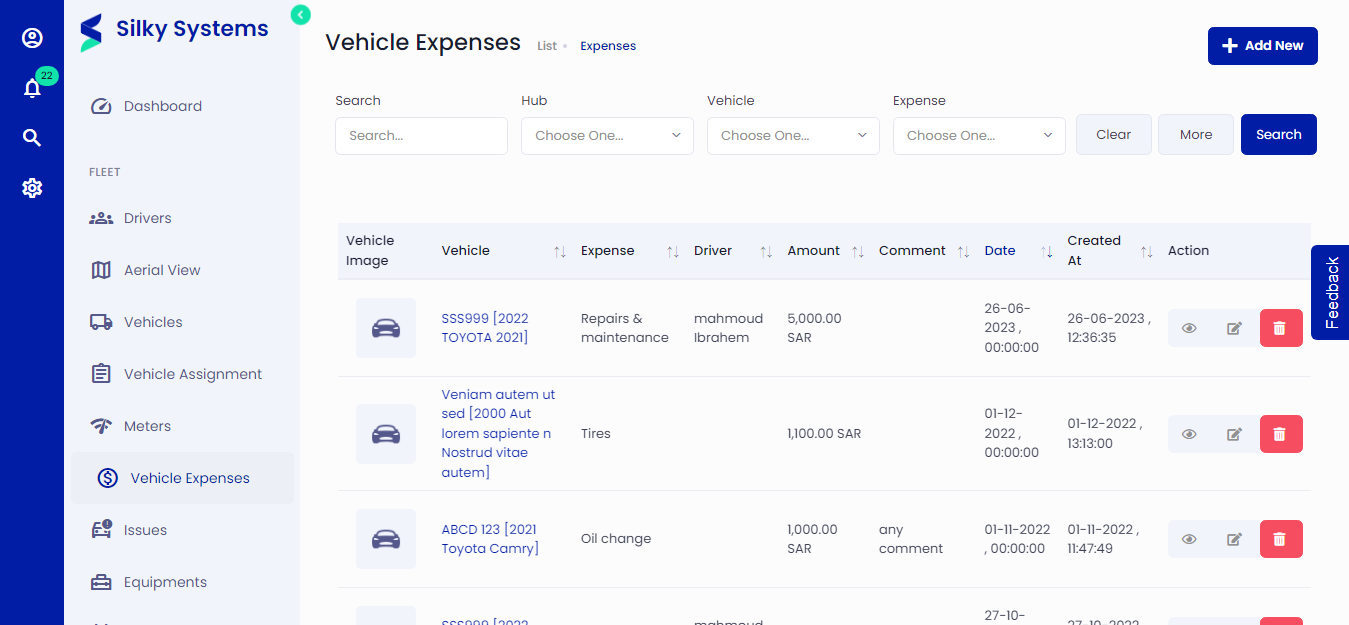
Select Vehicle Expenses from the navigation menu to load a list of all the Expense Entries in the Fleet management system. You can add/edit entries or view entries from this list.
You can filter the list by selecting a specific Hub.
Vehicle Overview
A list of all Expense Entries for a particular vehicle is found in the Vehicles > List tab, select a specific vehicle and click Edit under the Actions column.