Service Tasks
Service Tasks are routine maintenance services' building blocks that recur at regular intervals, tracked by date or meter. Examples of service tasks include Oil Change, Tire Rotation and Air Filter Replacement.
You can establish Service Reminders according to date and meter intervals so that key contacts will be notified via onscreen alerts and email messages when maintenance is "Due Soon" or "Due." Once complete, the tasks may be recorded in service history.
Manage Service Tasks
Select Services > Service Tasks from the left sidebar menu to go to the Service Tasks list. This is where you manage Service Tasks and can add your tasks.
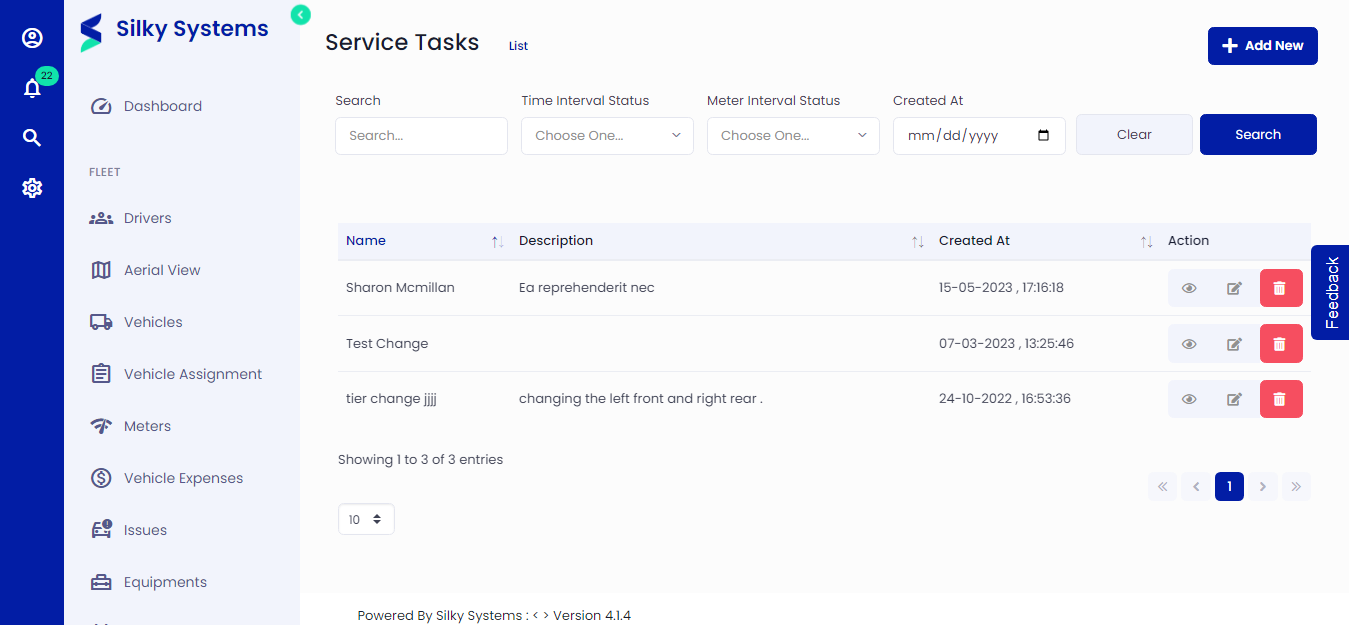 Figure.01 Service Tasks List
Add Service Tasks
To add a service task, select + Add New and complete the following entry information:
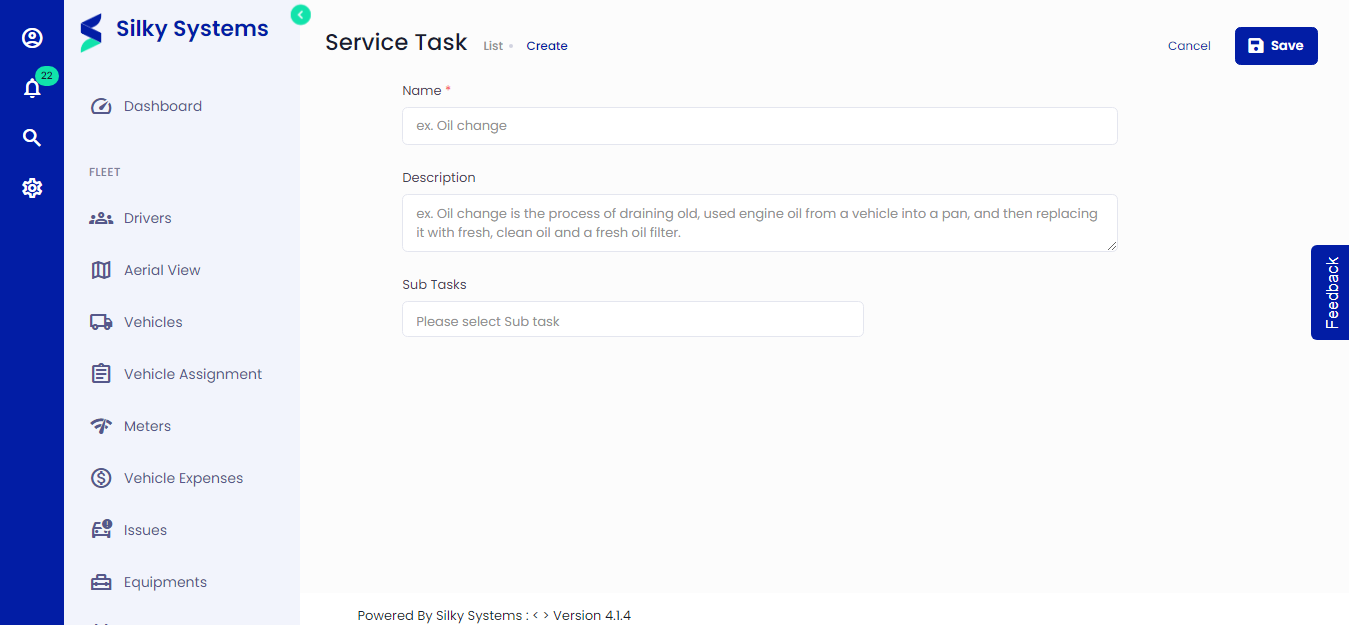 Figure.02 Service Tasks Create
Name - Each service task must have a unique name; the Fleet management system will prevent you from adding two service tasks with the same name.
Subtasks - Identify any subtasks which should be included, making this a "main" task.
Select Save when you're finished.