Service History
The Service History page provides a summary of all vehicle-related Services. To access the page, click Service History under the Service menu. Here, you can create, edit and view service histories.
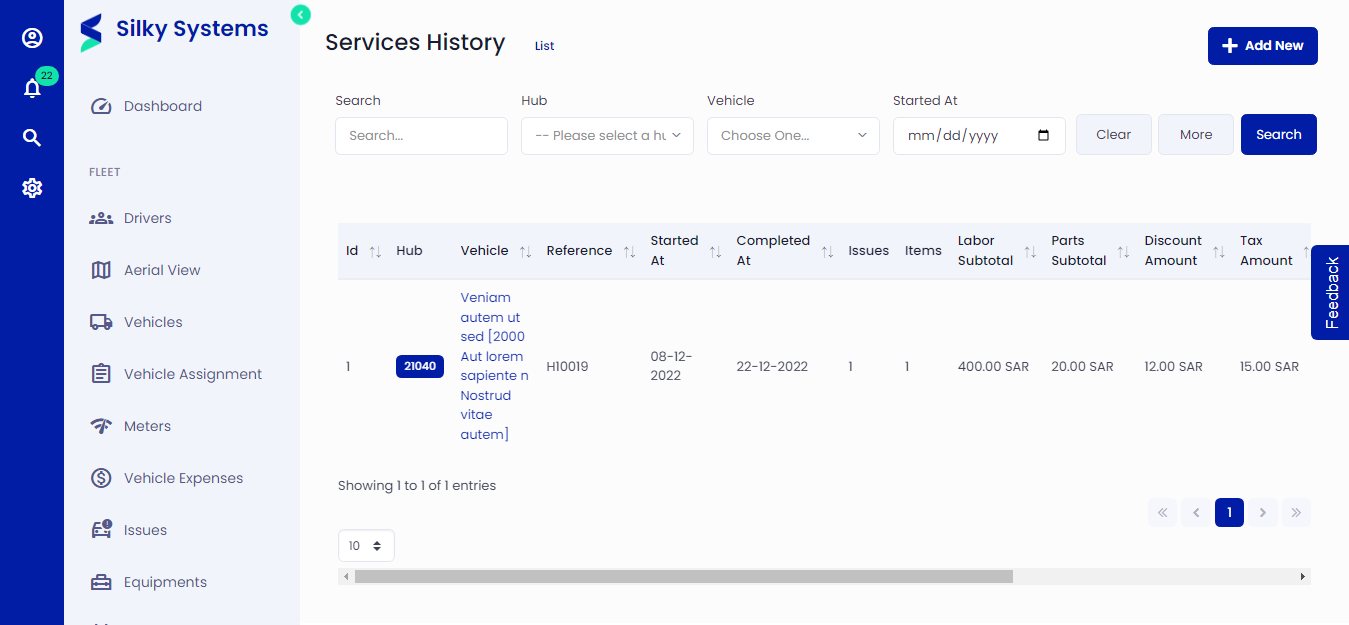 Figure.01 Service History List
Create Service History
Go to Services -> Services History and click Add New.
Select the Hub and Vehicle you want to record the service history. You can view opened, resolved, and closed issues for the selected vehicle. You can search and record the Service Reminder related to the vehicle.
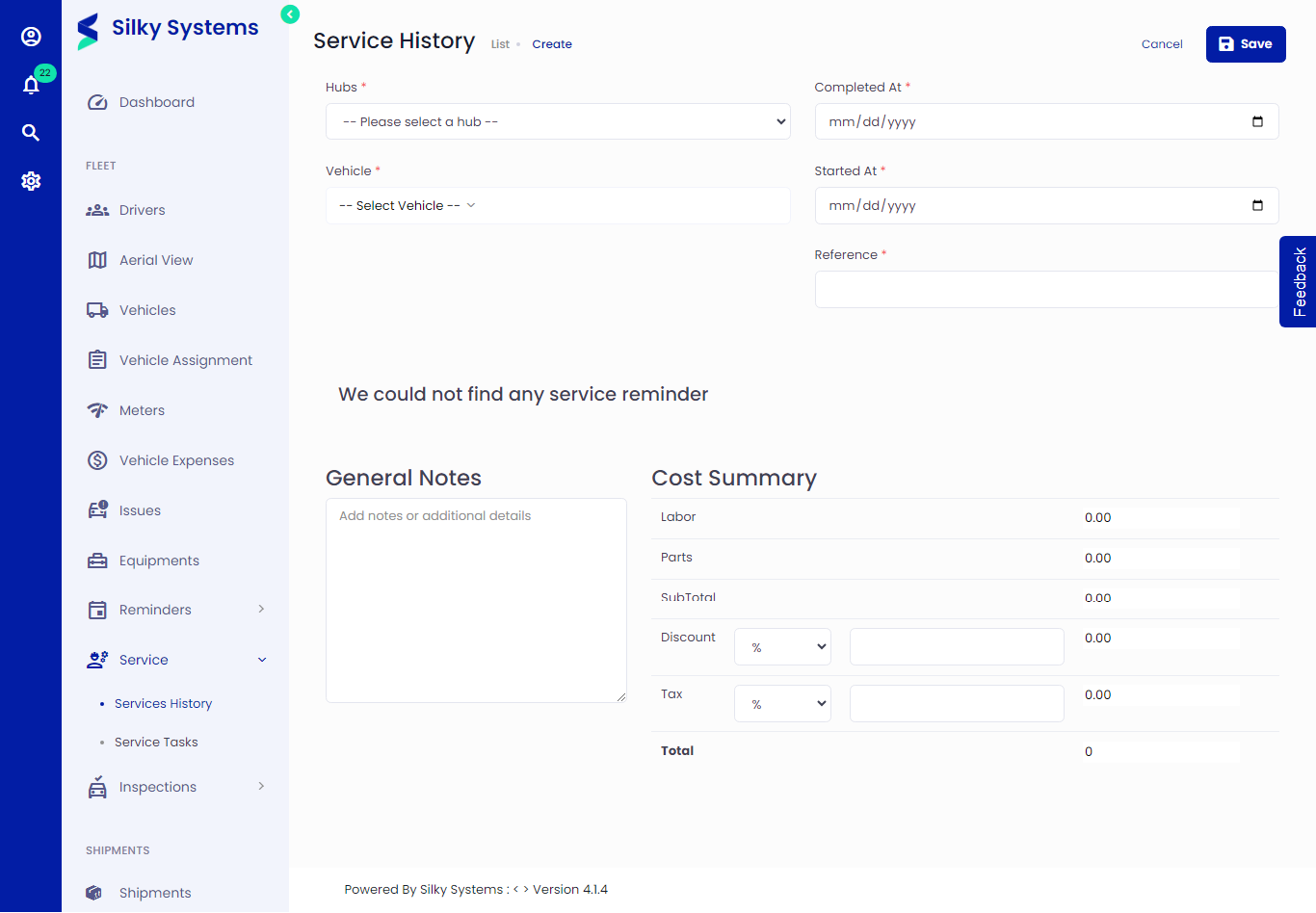 Figure.02 Service History Create
View Service History
You can view service history by clicking on Services -> Services History, clicking the eye icon under the Action column
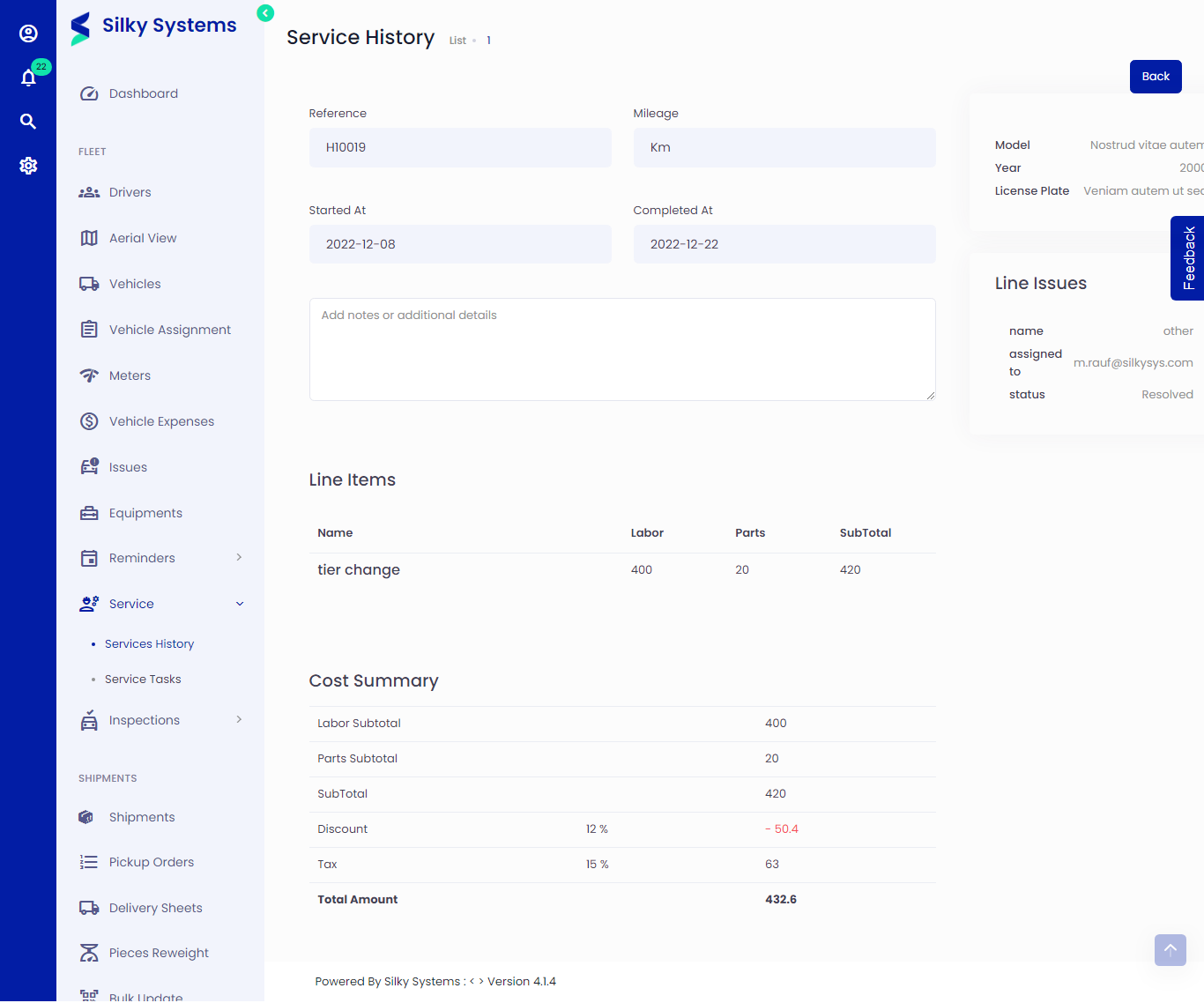 Figure.04 View Service History