On Hold Shipments
On Hold Shipments Overview
The On Hold Shipment (OHS) is a system that helps manage shipment-related issues. It is responsible for all non-sortable shipments and those sent to OHS through courier returns. If a problem with shipment pieces arises, you can follow a set procedure through OHS.
Create On Hold Shipments
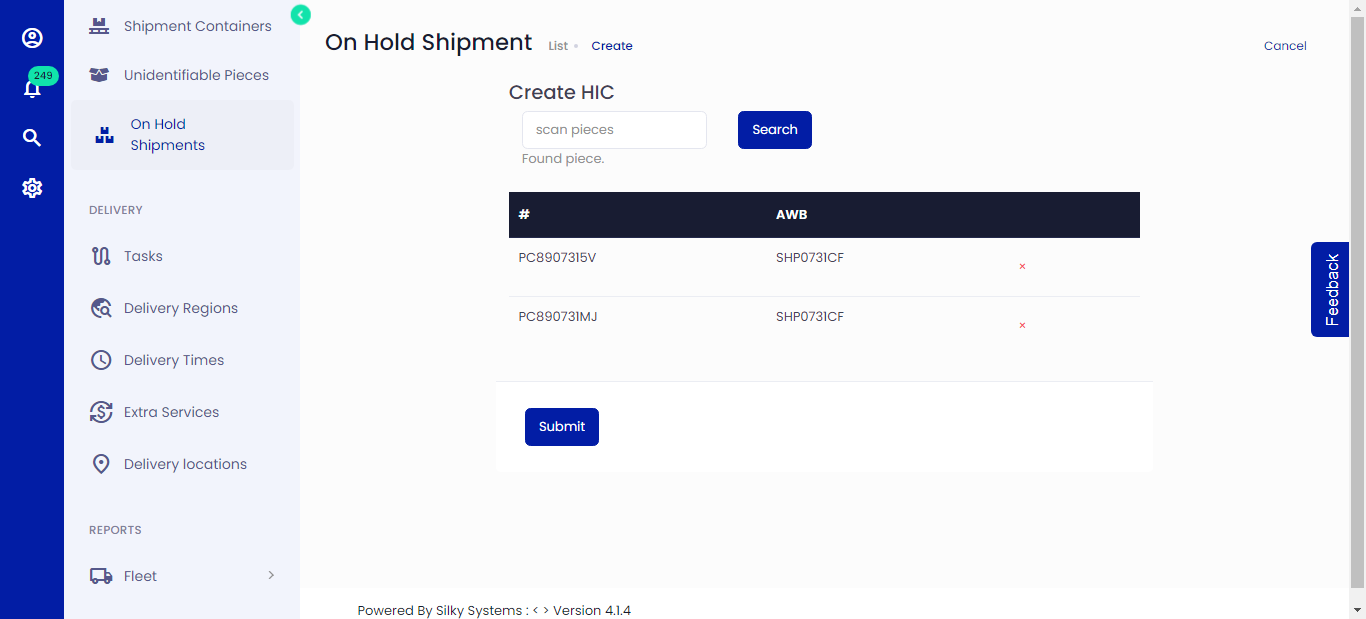 Figure.01 Create On Hold Shipments
To create a Handling Unit, follow the steps below.
- Click on Held Inventory -> Add New
- Scan the piece code that has issues and click Search.
- Once done adding the pieces, click Submit
View On Hold Shipments
By clicking on the eye icon from On Hold Shipments List, you can view shipment details, sender details, receiver details and OHS Trace history.
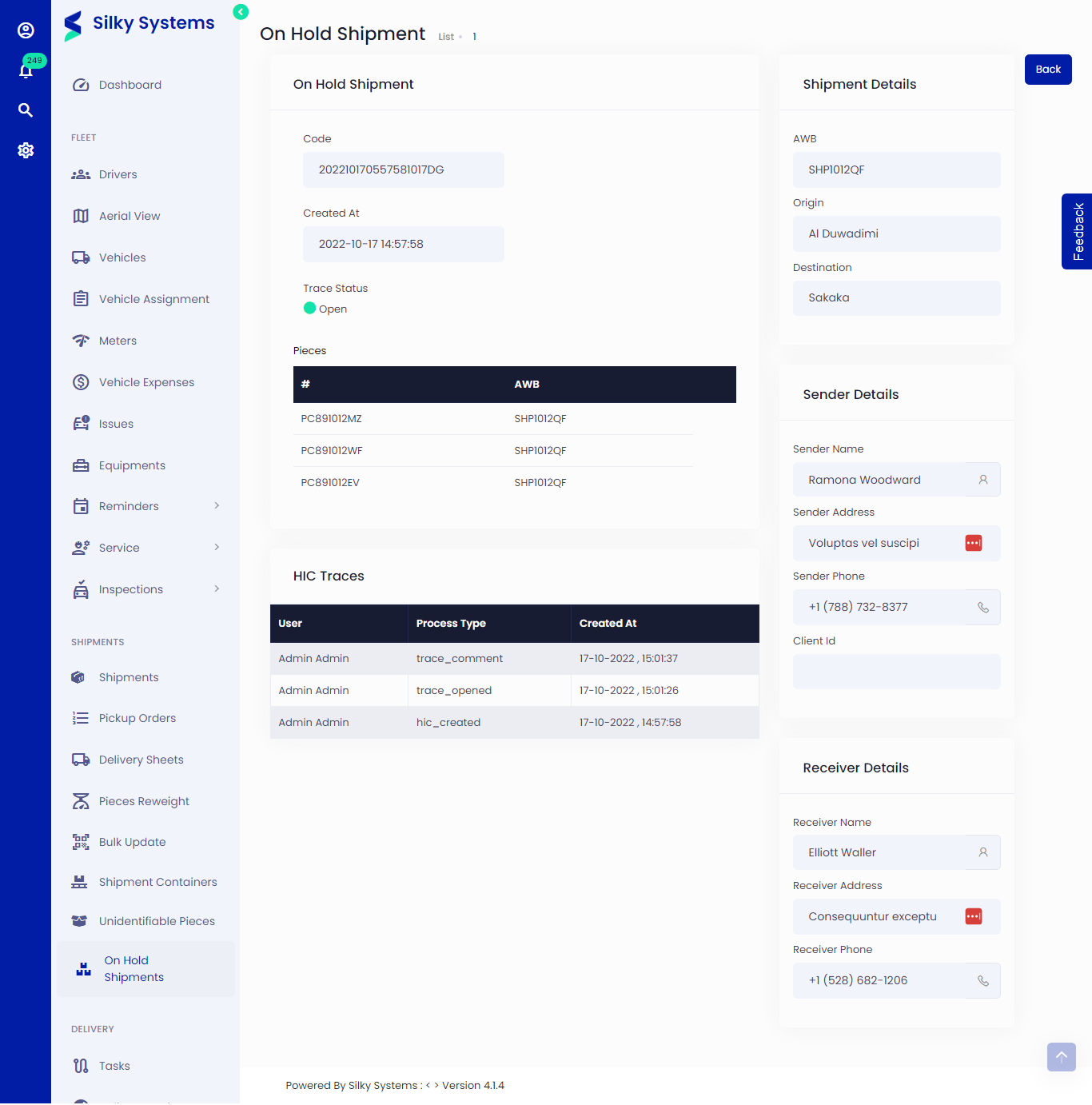 Figure.02 View On Hold Shipments
Edit On Hold Shipments
You can edit the HI information by clicking on the edit icon from On Hold Shipments List. Here you can Open Trace, add comments and Close Trace.
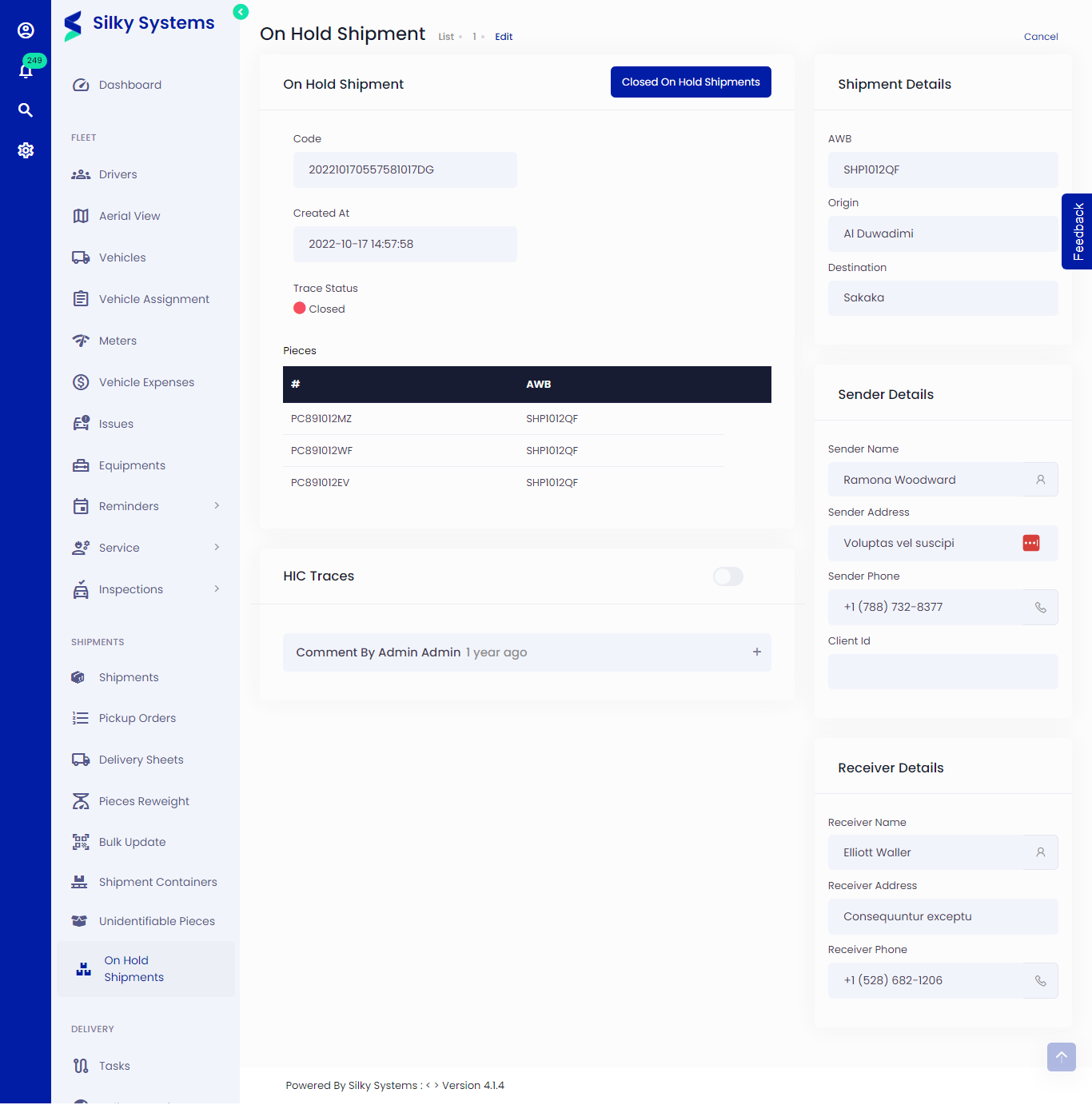 Figure.03 Edit On Hold Shipments
Open & Close Trace In On Hold Shipments
The open and close trace feature is a way to manage issues with the pieces. Read below to know more in detail.
Open Trace
The open trace feature allows you to track issues with the piece. When you start working on the problem, you should click Open Trace. Enter any comments or descriptions about the situation and click submit.
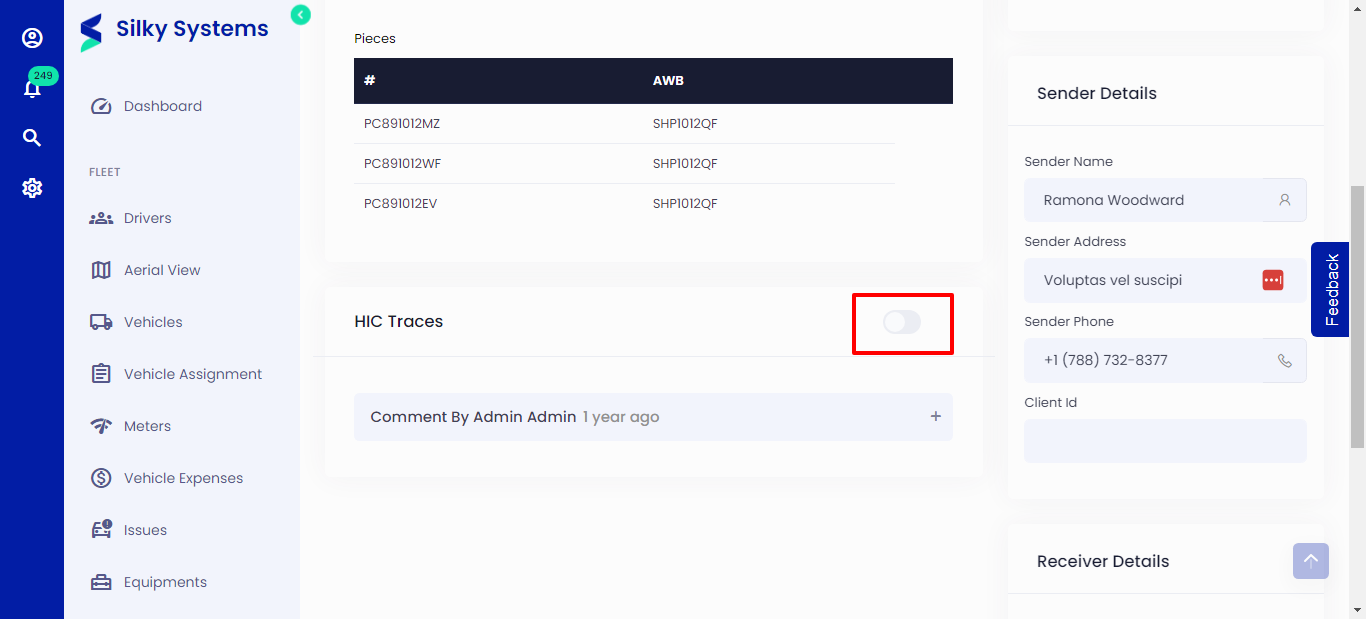 Figure.03 Edit On Hold Shipments
Close Trace
When the issue has been resolved, click Close Trace.
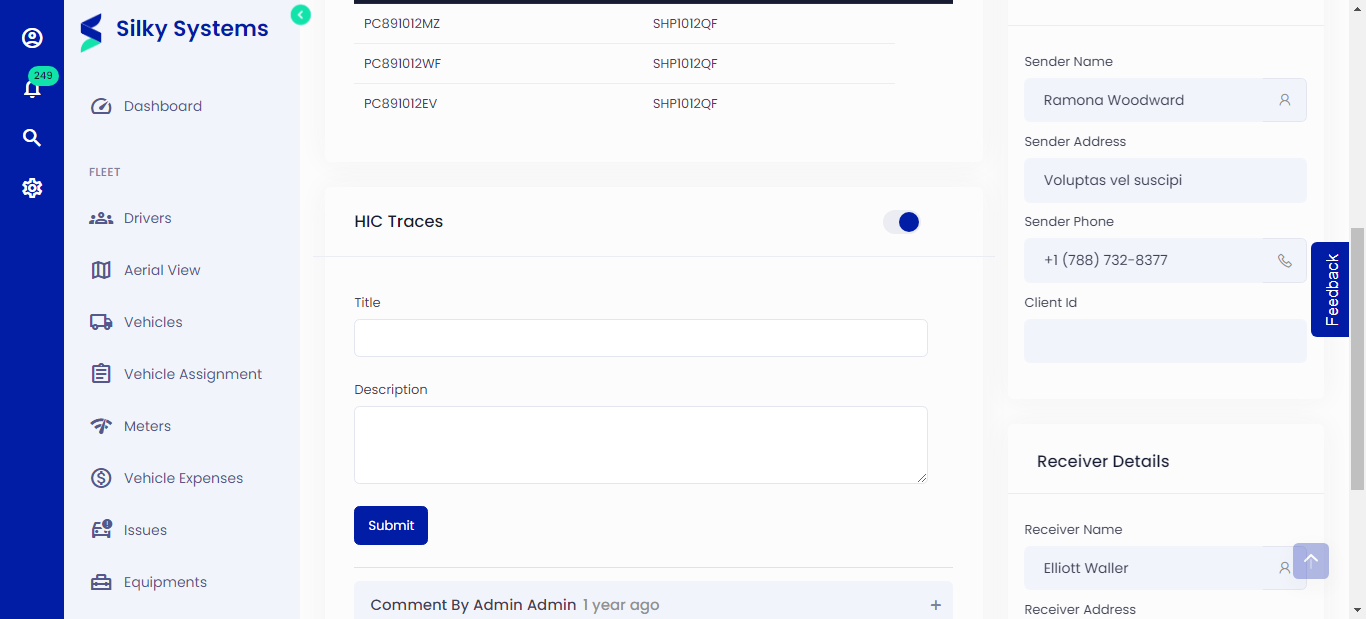 Figure.03 Edit On Hold Shipments
Process of Held Inventory
Following the OHS Process is essential because it is beneficial for KPI calculation. KPI stands for Key Performance Indicator, a quantifiable measure of performance over time for a specific objective. KPIs provide targets for teams and insights that help people across the organization make better decisions. In this case, KPI evaluates the average time it takes for pieces to go from open trace to close trace and from open OHS to close OHS.
The OHS's complete procedure is as follows:
Open OHS -> Open Trace -> Close Trace -> Close OHS
Open OHS -> When an HI is initially created, its status is closed. When you open a trace, the OHS status switches to Open. You can view the OHS status in On Hold Shipments List.
Open Trace -> The open trace feature allows you to track issues with the piece. When you start working on the problem, you should click Open Trace. Enter any comments or descriptions about the problem and click submit.
Close Trace -> When the issue has been resolved, click Close Trace.
Close OHS -> Click on the Close OHS once all the issues regarding the pieces are resolved. The OHS cannot be reopened after it has been closed.
On Hold Shipments List
You can view and filter all the On Hold Shipments by clicking on the On Hold Shipments.
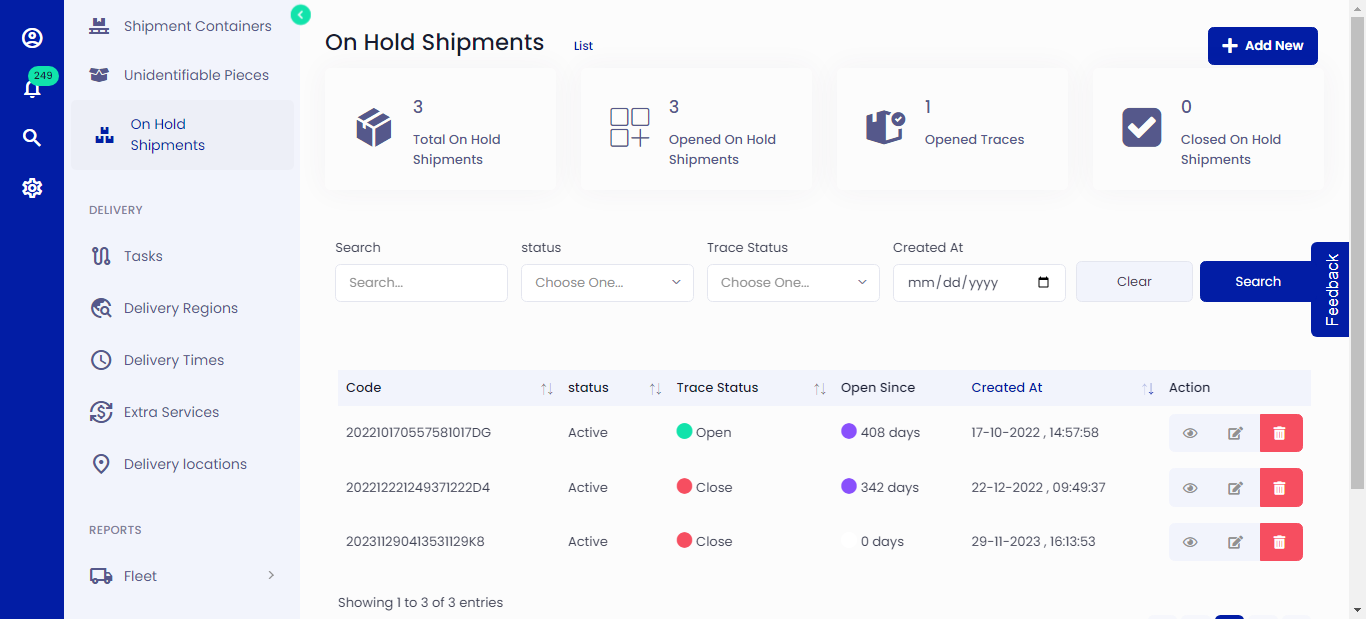 Figure.01 On Hold Shipments List