Bulk Update
The bulk update is an essential function if you wish to update more than one piece simultaneously. You may use the bulk update to update specified pieces' checkpoints and assign tasks. This feature is located in the left sidebar menu named Bulk Update.
When you type the piece code in the search bar, it automatically adds to the selected pieces table on the right side. In the Checkpoint section, you can change the checkpoint, add corresponding remarks and comments and define a route for the selected pieces. In the Delivery Task section, you can assign a task and the corresponding container for the pieces.
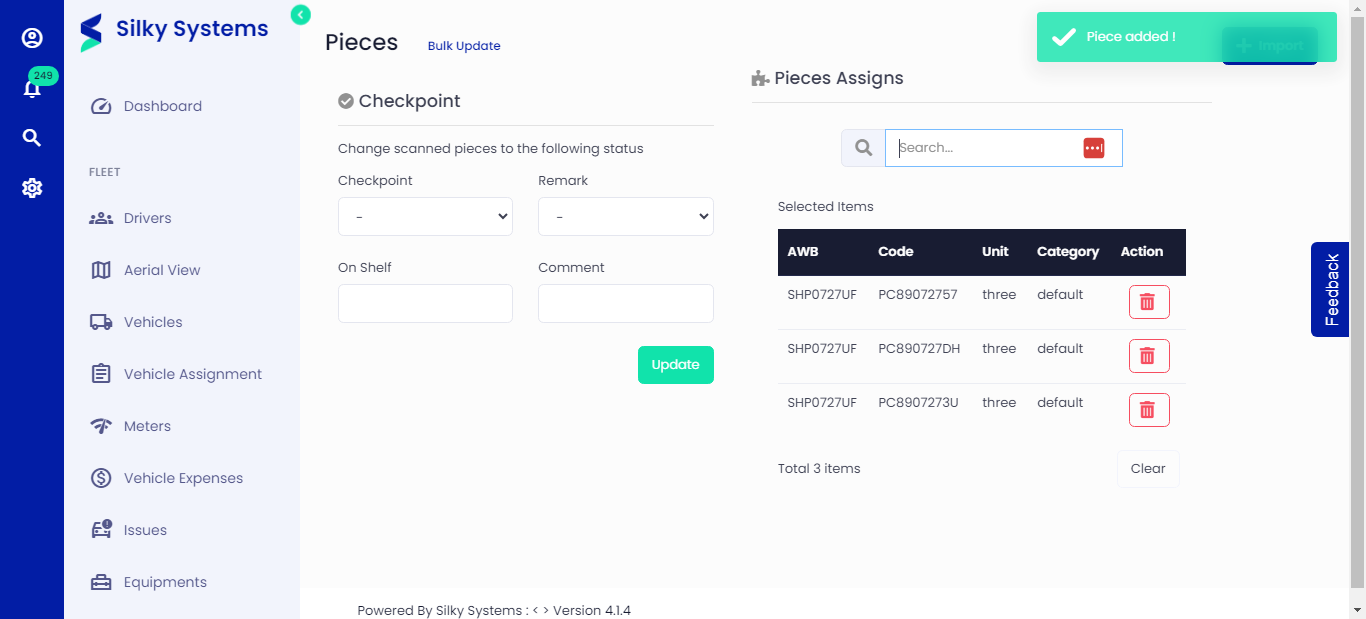 Figure.01 Bulk Update
Excel Bulk Import
You can also import an excel sheet by clicking on the Import button. A sample excel sheet is given for reference, and an example of the data is also provided below.
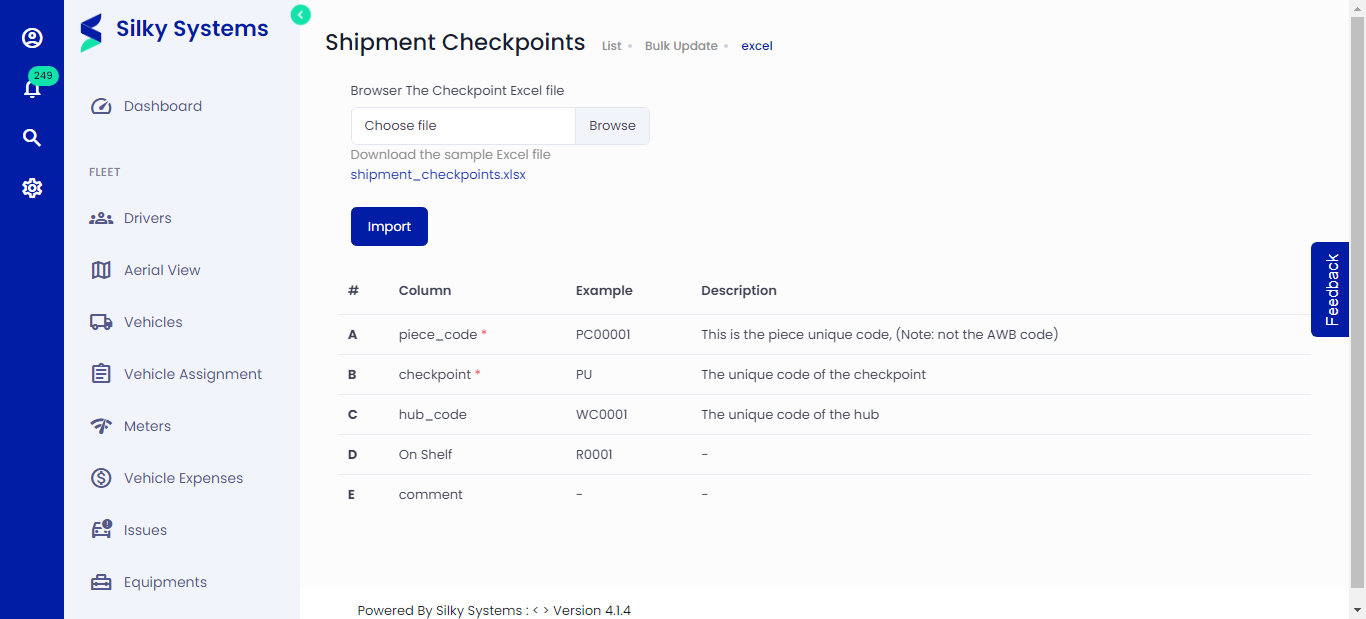 Figure.02 Excel Bulk Import