Import Equipment
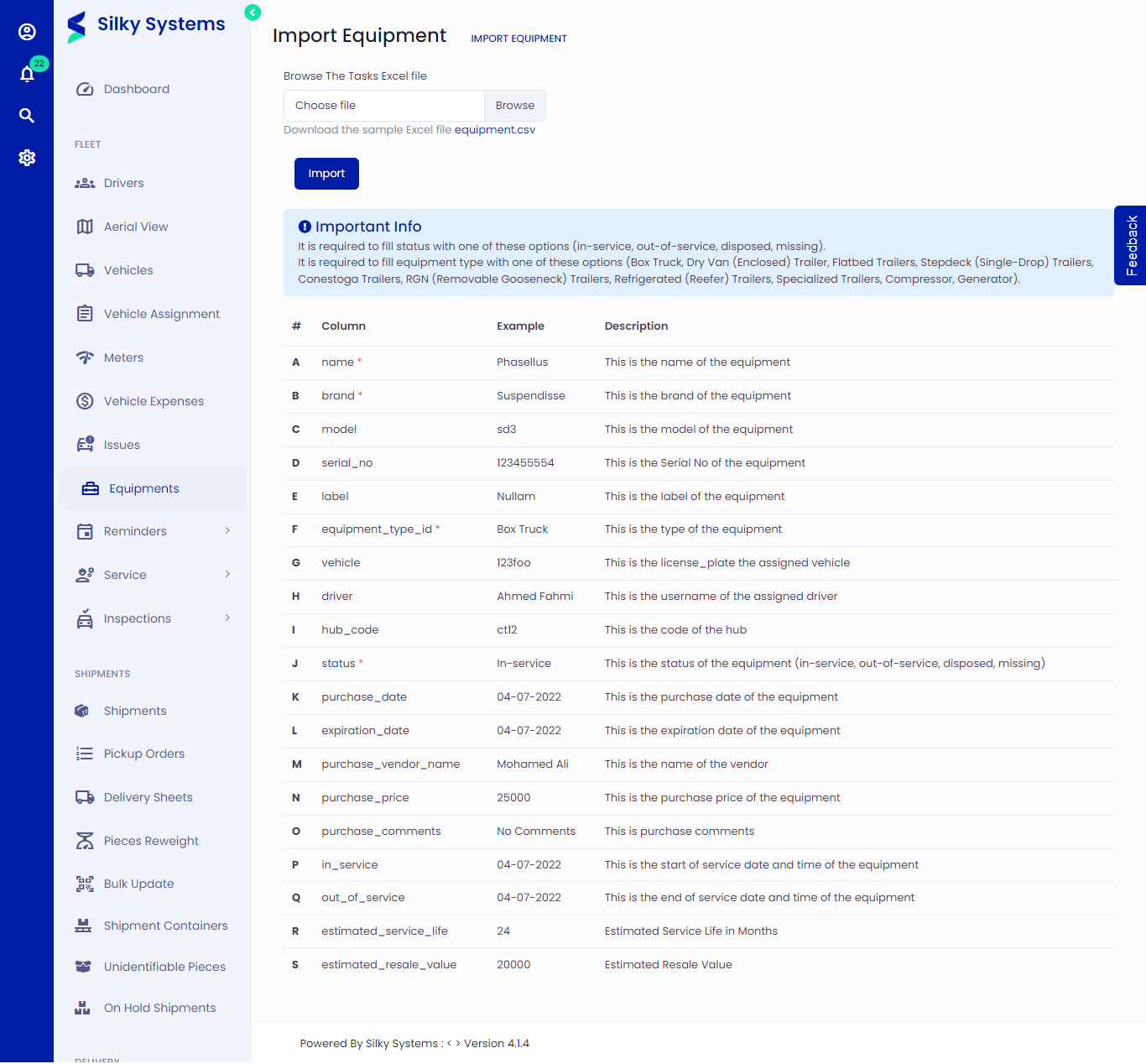 Figure.01 Import Equipment
To import Equipment, follow the below instructions.
Importing Equipments
Click on Equipment -> Import
You can follow the example of the data shown below or download the sample excel file to get the Equipment template.
It is required to fill status with one of these options (in-service, out-of-service, disposed, missing).
It is required to fill equipment type with one of these options (Box Truck, Dry Van (Enclosed) Trailer, Flatbed Trailers, Stepdeck (Single-Drop) Trailers, Conestoga Trailers, RGN (Removable Gooseneck) Trailers, Refrigerated (Reefer) Trailers, Specialized Trailers, Compressor, Generator).
The columns marked with '*' are required to fill up; others can be skipped.
Upload your file and click Import.