Add Equipments and Equipment Status
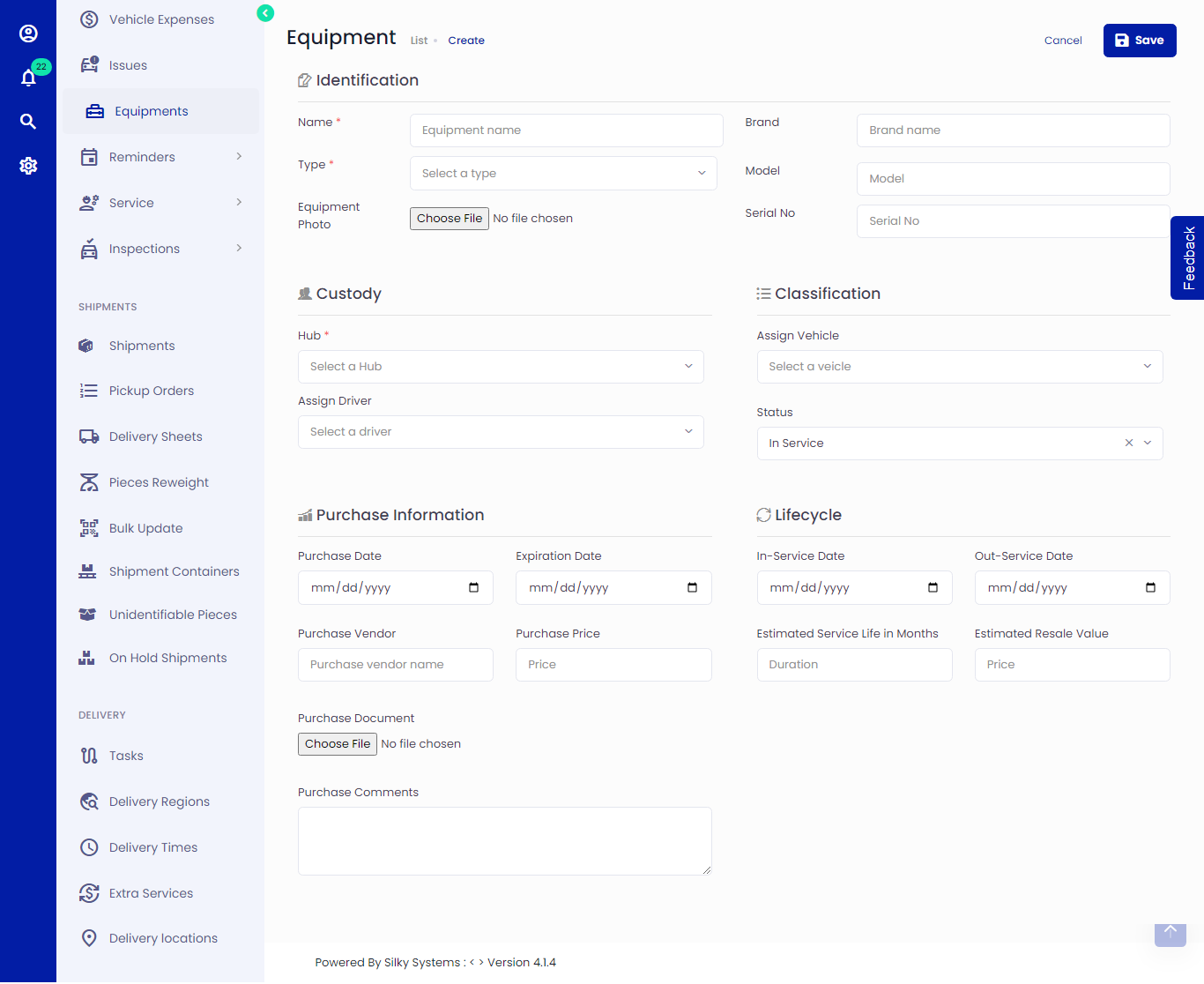 Figure.01 Add Equipment
Adding Equipment
Click on Equipment -> Add New
Complete the fields of the entry form, where (*) indicates a required field:
Equipment Details
Type: The type of the equipment. You can create more equipment types in Equipments -> Equipment Types. Learn more here
Status: This is the current status of the equipment. Learn more about Equipment status here
Purchase Date: The date on which the equipment was purchased
Expiration Date: The date on which the equipment will be expired
Purchase Vendor: Vendor name from whom the equipment was purchased
Purchase Price: The price of the equipment
Purchase Document: Any purchase document related to the equipment, such as a receipt.
In-Service Date: The date on which the equipment began service
Out-Service Date: The date on which the equipment will be out of service
Estimated Service Life in Months: Estimated service life of equipment in months
Estimated Resale Value: Estimated resale value of the equipment
Click save when you are done.
You can edit/delete the Equipment later.
Equipment Status
Status is a required field in the Equipment record, with the default set to In-Service. Fleet management system includes several common pre-defined Equipment Statuses to include:
In-Service: The equipment is currently in service
Out-of-Service: The equipment is currently out of service
Disposed: The equipment has been disposed
Missing: The equipment is missing
You can filter equipments by status by clicking on the sidebar menu and selecting the required status.