Equipments Overview & View Equipments
The fleet management system is the backbone of fleet maintenance! The core Fleet management system revolves around managing fleet Vehicles and other significant assets. Typically, these assets are used to transport people or goods or accomplish essential functions central to your operations.
Examples of Vehicles in Fleet management systems include cars, trucks, buses, motorcycles, and vans.
What about the hundreds or thousands of auxiliary assets which equip your team for a particular purpose, perform a small job, or otherwise facilitate the management of your fleet? Most organizations invest in equipment and tools. These assets have fewer maintenance needs than vehicles. Yet, they are valuable enough to warrant detailed purchase record-keeping, location tracking, assignment to responsible individuals, document and photo storage, and more.
Examples of Equipment in Fleet management system include Box Truck, Dry Van (Enclosed) Trailer, Flatbed Trailers, Stepdeck (Single-Drop) Trailers, Conestoga Trailers, RGN (Removable Gooseneck) Trailers, Refrigerated (Reefer) Trailers, Specialized Trailers, Compressor, and Generator.
A Fleet management system provides a cost-effective single-system solution to manage ALL of your assets!
Equipment List
The Equipment List is where you'll go for an at-a-glance view of your data. Details are displayed in a table with customizable columns so that you can sort, filter, and take various actions on your equipment. You can find it in Equipments -> List
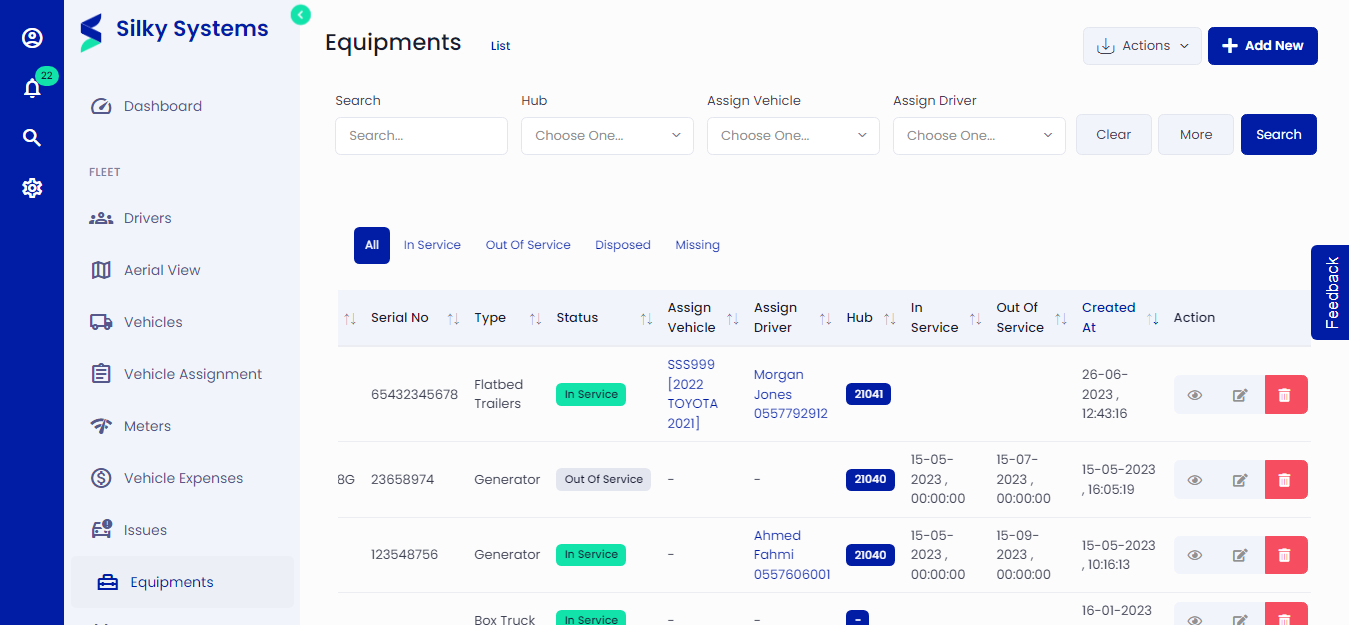 Figure.01 Equipment List
- You can view the list of all the equipments and details
- Search or Filter to narrow the results displayed
- In the Actions column, you can View, Edit, and Delete the equipment
- Create a new Equipment
- Import equipments
- Export equipments
View Equipments
The View Equipments displays details, activity, comments, and attachments for each equipment asset. Various actions are available from this screen.
Click any row from the Equipment List to View.
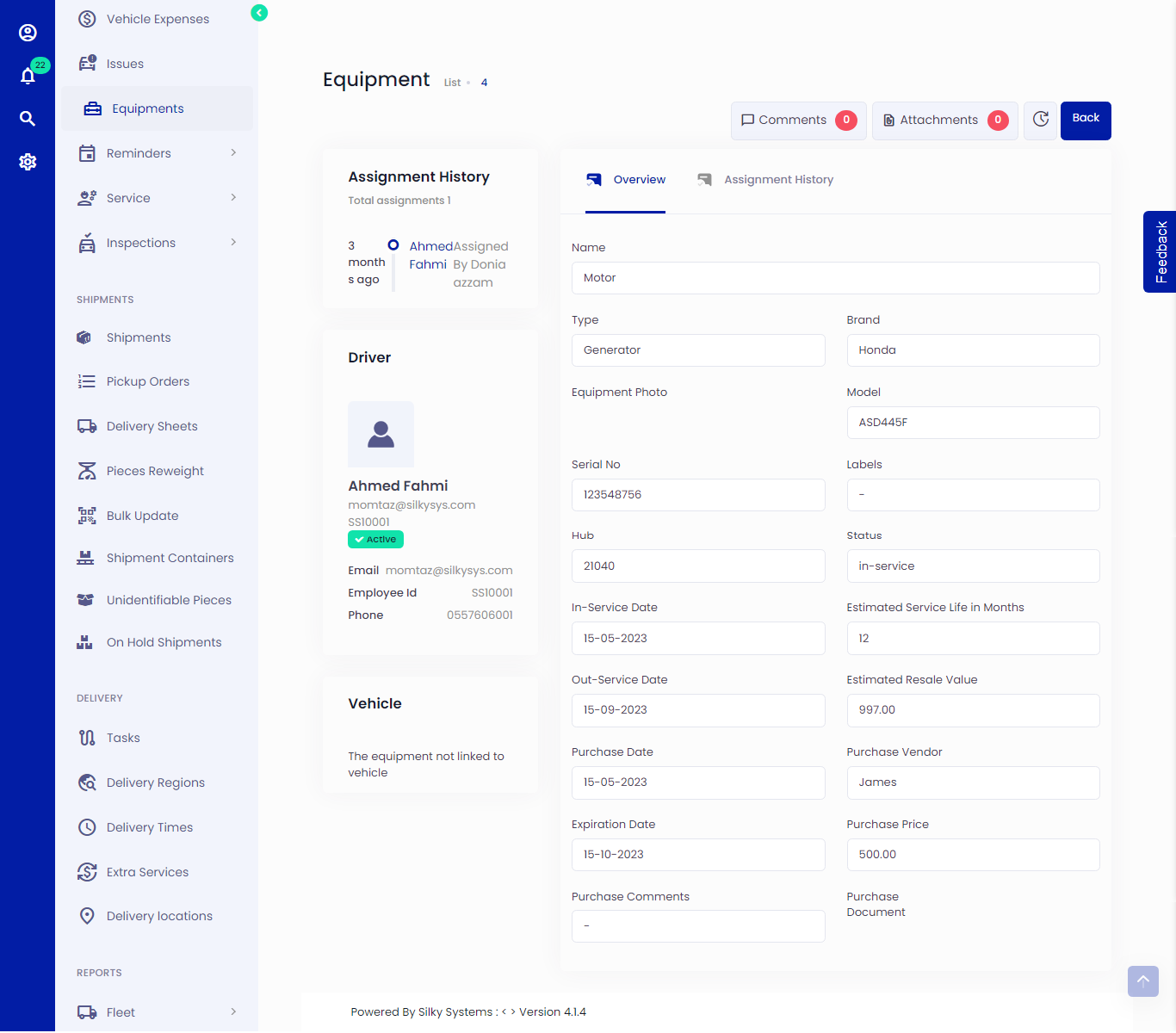 Figure.02 View Equipment
Scroll to review all Equipment Details, including brand, model, serial number, status, purchase information etc.
Current and past Assignment history to drivers are shown in the left column. You can view assignment history details in the Assignment History tab, as shown below.
The Driver shows the current assigned driver details
The Vehicle shows the currently assigned vehicle details
Expand or collapse the Comments button to display all comments. You can also add comments.
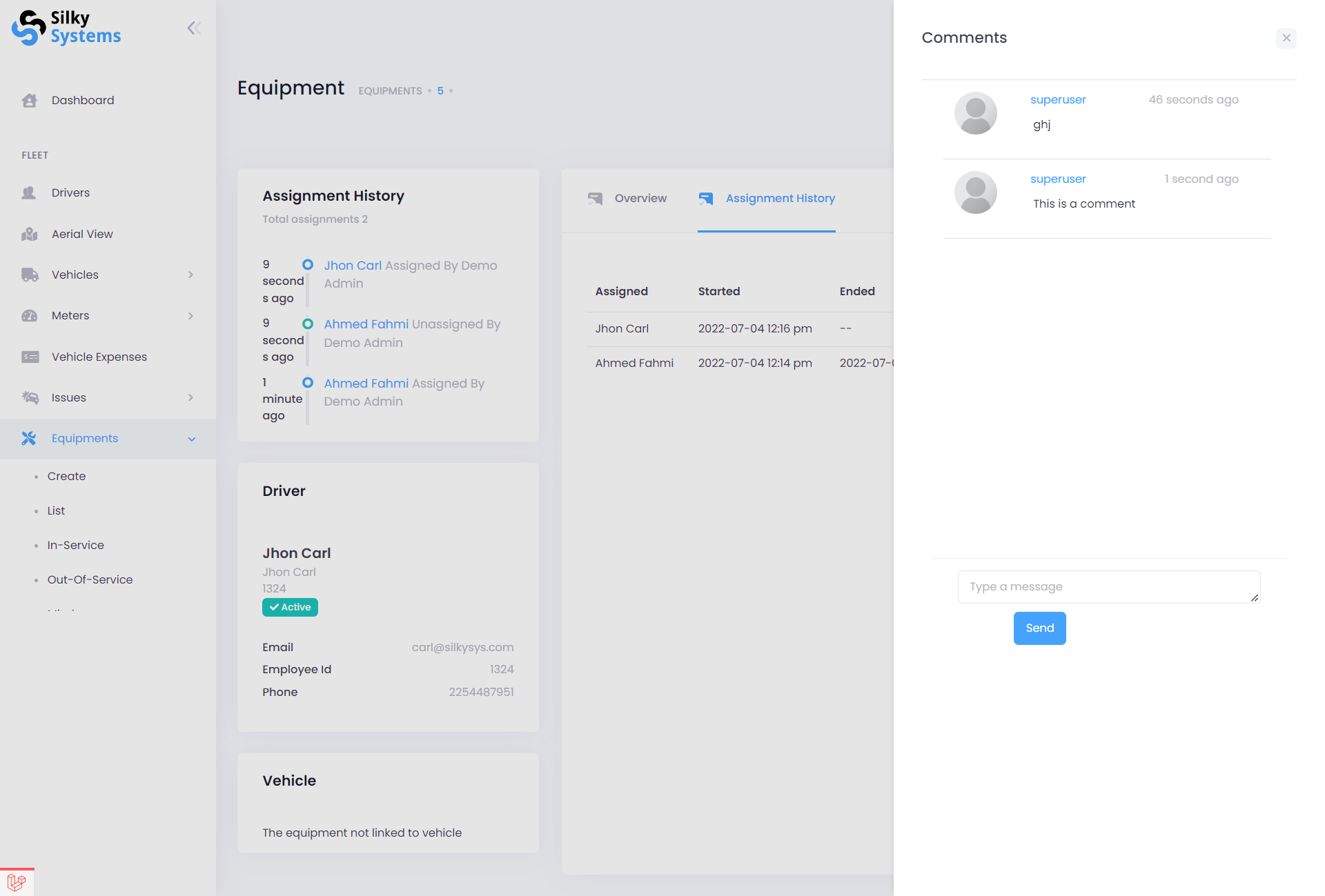 Figure.03 Comments
Click Back to go back to the Equipment List page.