Import Drivers
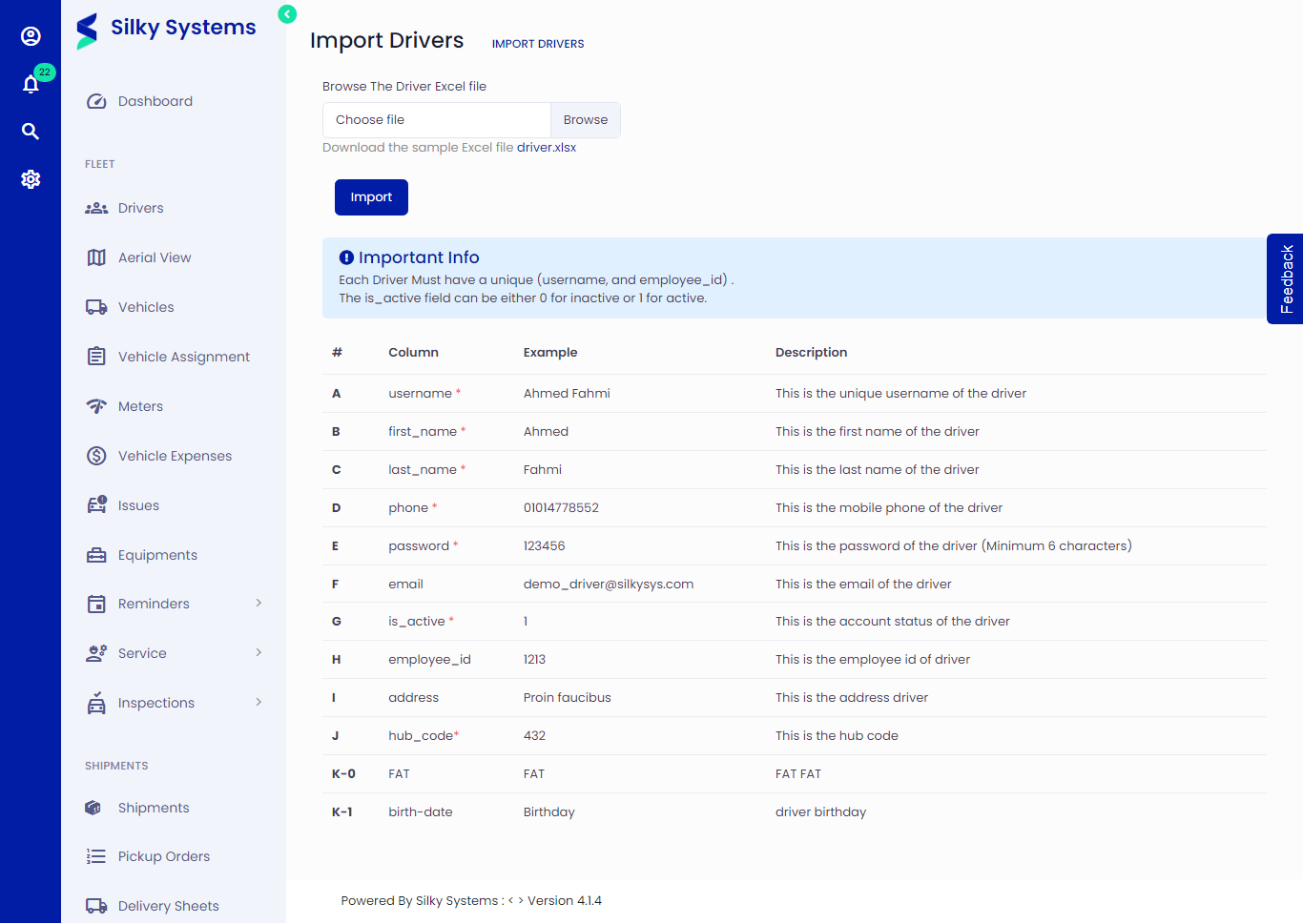 Figure.01 Import Drivers
To import drivers, follow the below instructions.
Importing Drivers
Click on Drivers -> Import
You can follow the example of the data shown below or download the sample excel file to get the driver template.
Make sure that each driver has a unique username.
Set the is_active field 0 for In Active and 1 for Active
The columns marked with '*' are required to fill up; others can be skipped.
Upload your file and click Import.