Hubs
Hubs Overview
A hub is like a warehouse. It is a home base for an organization. It may be the location from where all deliveries originate for that organization. A hub can be a distribution centre or a restaurant, or it may be a centralized location at which drivers begin and end their shifts. An organization may have one hub, and several organizations may share a hub.
Create a Hub
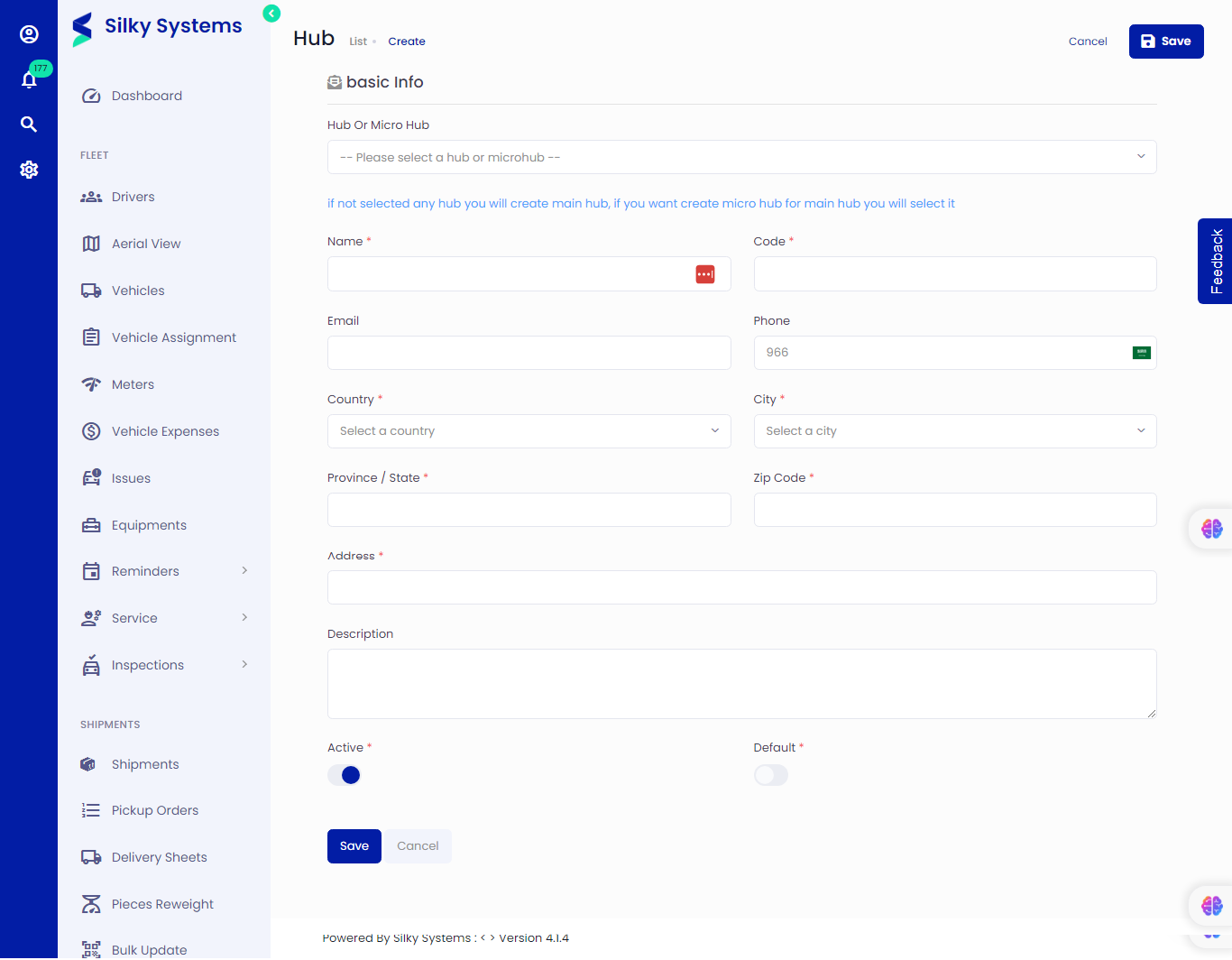 Figure.01 Create a Hub
To create a hub, follow the steps below.
- Click Hub -> Add New
- Selecting the Main Hub (parent hub) from the dropdown can create a micro hub (child hub). If it is left blank, the main hub is created.
- Fill in all the details such as name, code, country, etc.
- The columns marked with '*' are required to fill up; others can be skipped.
- Active: This option is used to Activate/Deactivate the hub.
Edit Hub
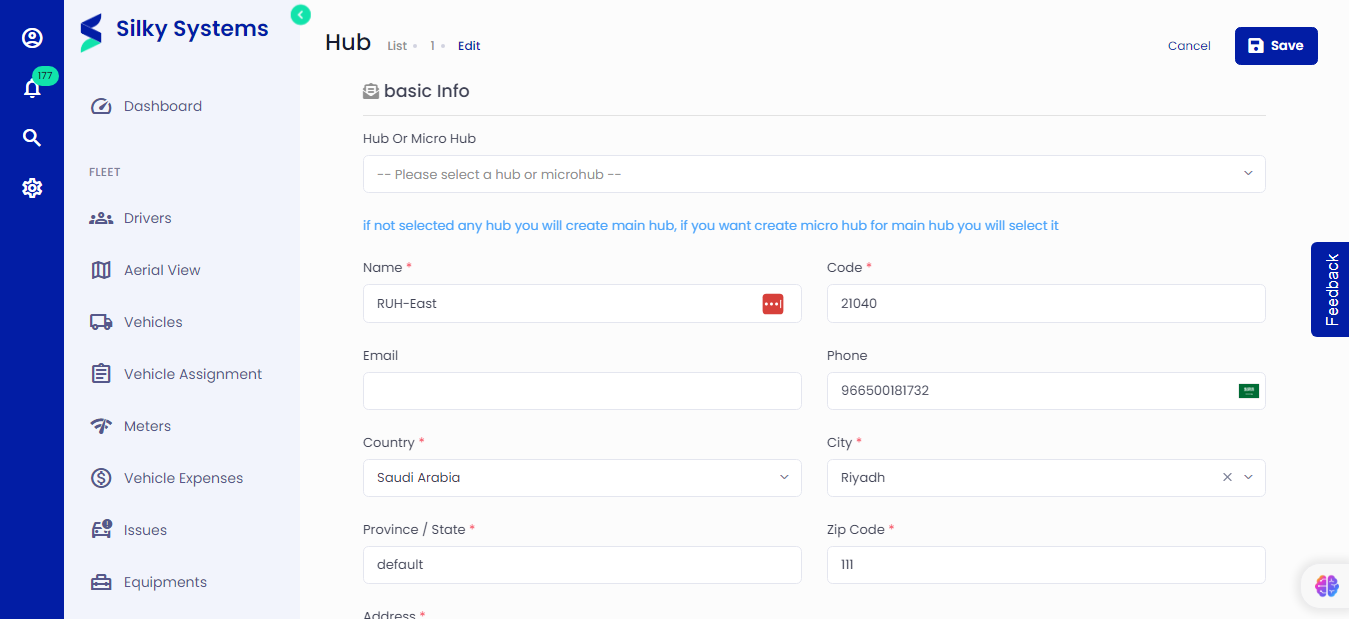 Figure.02 Edit a Hub
Similarly, you can edit hub details from the Hub List. Click on Hubs, then click on the edit icon under the Action column.
View Hub
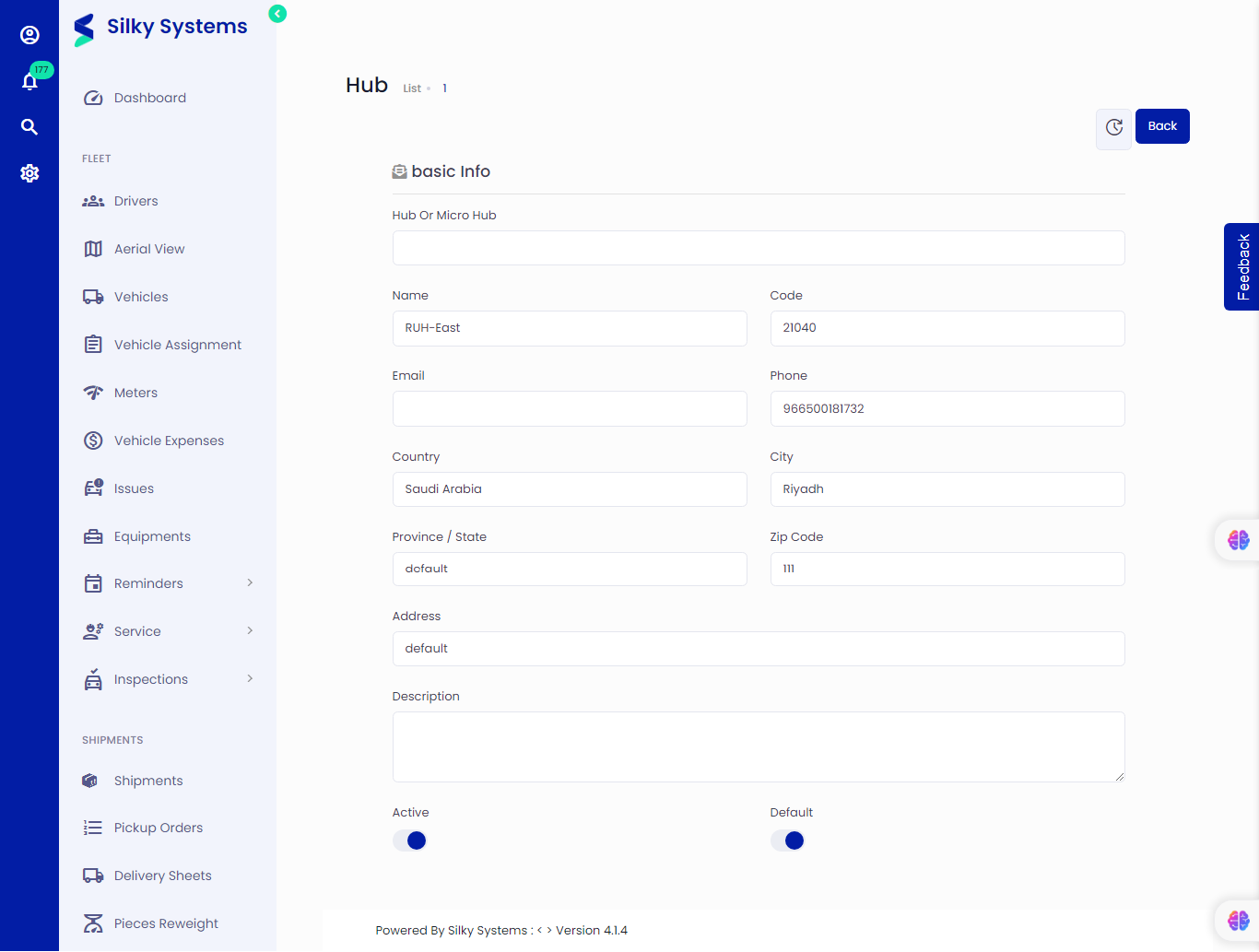 Figure.02 View Hub Details
You can view hub details from the Hub List. Click on Hubs, then click on the view icon under the Action column.
Hub List
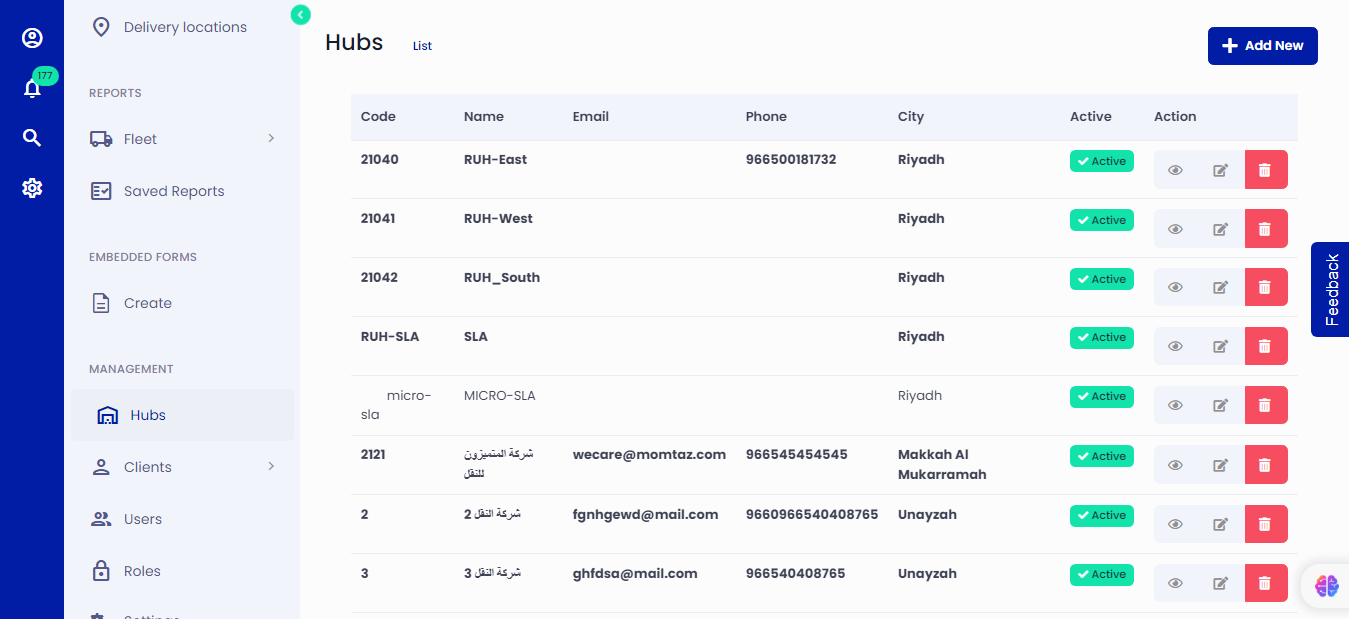 Figure.03 Hub List
From the hub list, you can see a list of all the hubs that are active and which are inactive. Click on Hubs to see a list of all the hubs.