Webhooks
Certainly, I've added a section for the "Webhook List" as you requested:
Webhooks Documentation
1. Introduction
Webhooks are a powerful feature that allows your application to receive real-time notifications and data updates from other web services or applications. This documentation will guide you through the process of creating, viewing, editing, and managing webhooks for seamless integration with external systems.
2. Webhook List
To access the Webhooks feature, follow these steps:
- Log in to your application's dashboard or admin panel.
- Navigate to the Settings --> Create App --> Webhooks section.
In the "Webhooks" section, you will find a list of all your created webhooks. This list provides an overview of your existing webhooks, including events, URL, and other details. Use this list to quickly access and manage your webhooks.
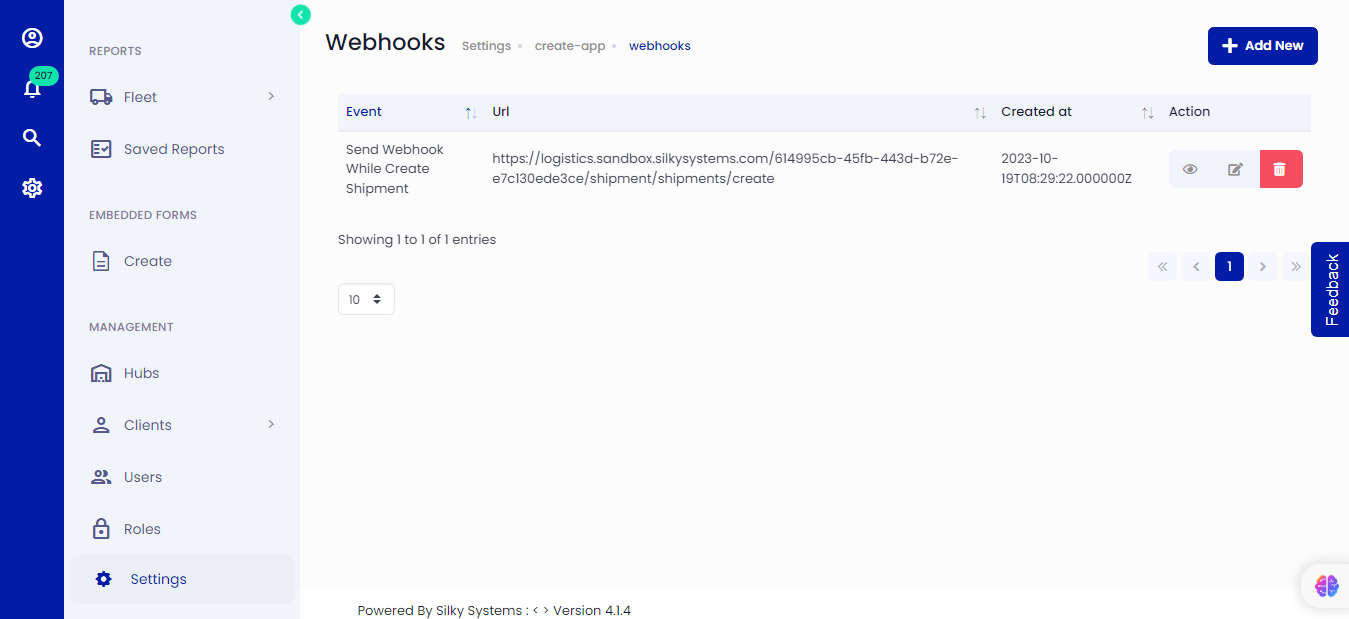 Figure.01 Webhook List
3. Creating a Webhook
To create a new webhook, follow these steps:
In the "Webhooks" section, click the "Add New" button.
Fill in the following information:
- Event: Specify the event that will activate the webhook.
- Webhook URL: Enter the URL to which webhook payloads will be sent.
Once you've filled in the necessary details, click "Save" to create your webhook.
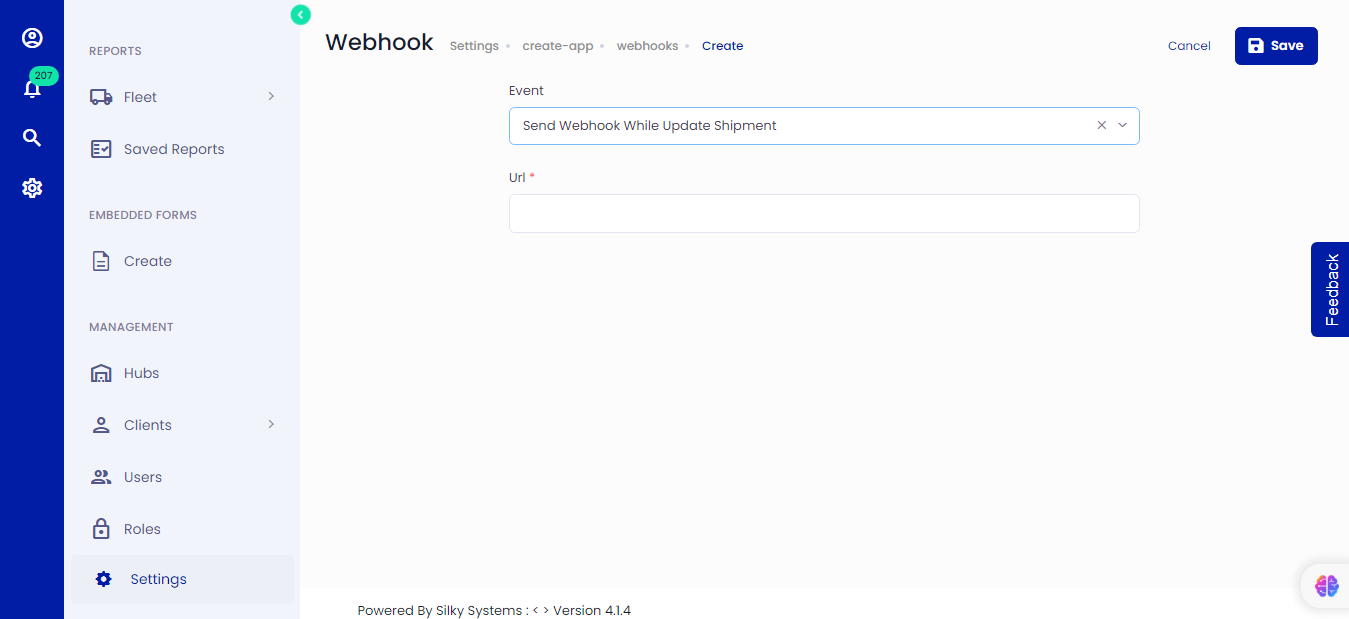 Figure.02 Webhook
4. Viewing Webhooks
To view your existing webhooks, follow these steps:
- In the "Webhooks" section, you will see a list of all your created webhooks.
- Click on a specific webhook to view its details, including the webhook URL, associated events, and other settings.
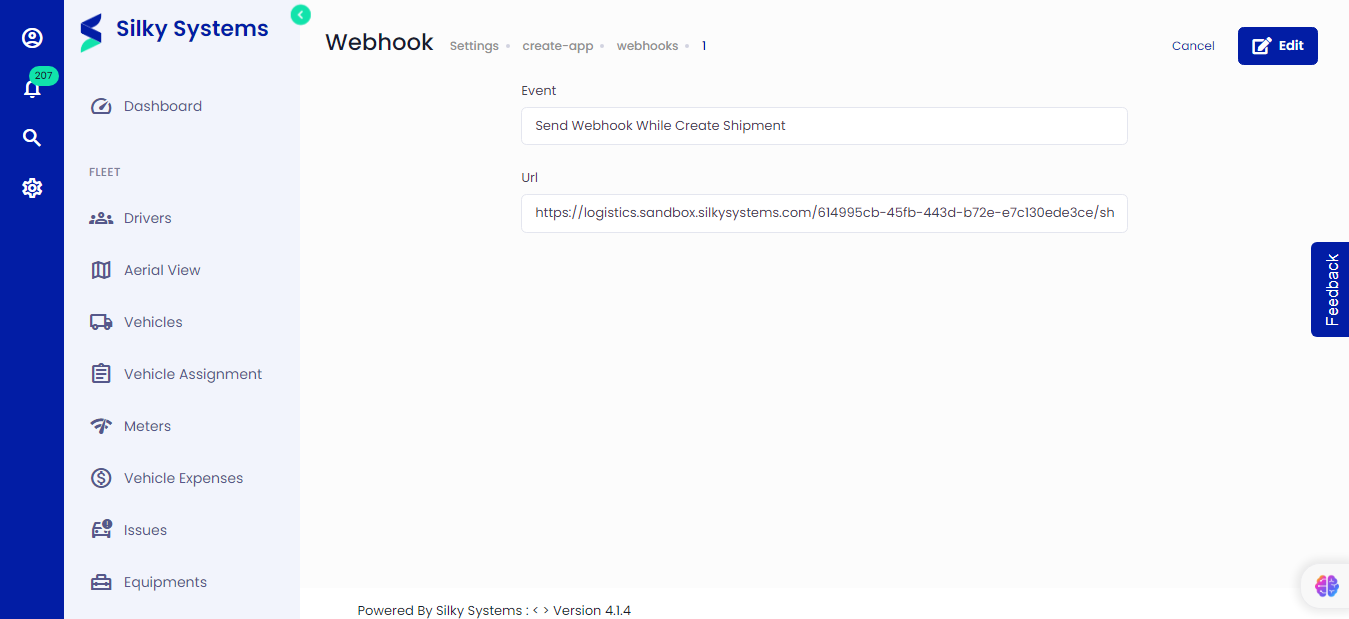 Figure.03 Webhook
5. Editing Webhooks
To edit an existing webhook, follow these steps:
- In the "Webhooks" section, locate the webhook you wish to edit.
- Click on the webhook to access its details.
- Make the necessary changes to the URL, events, or other settings.
- Click "Save" to update the webhook with the new information.
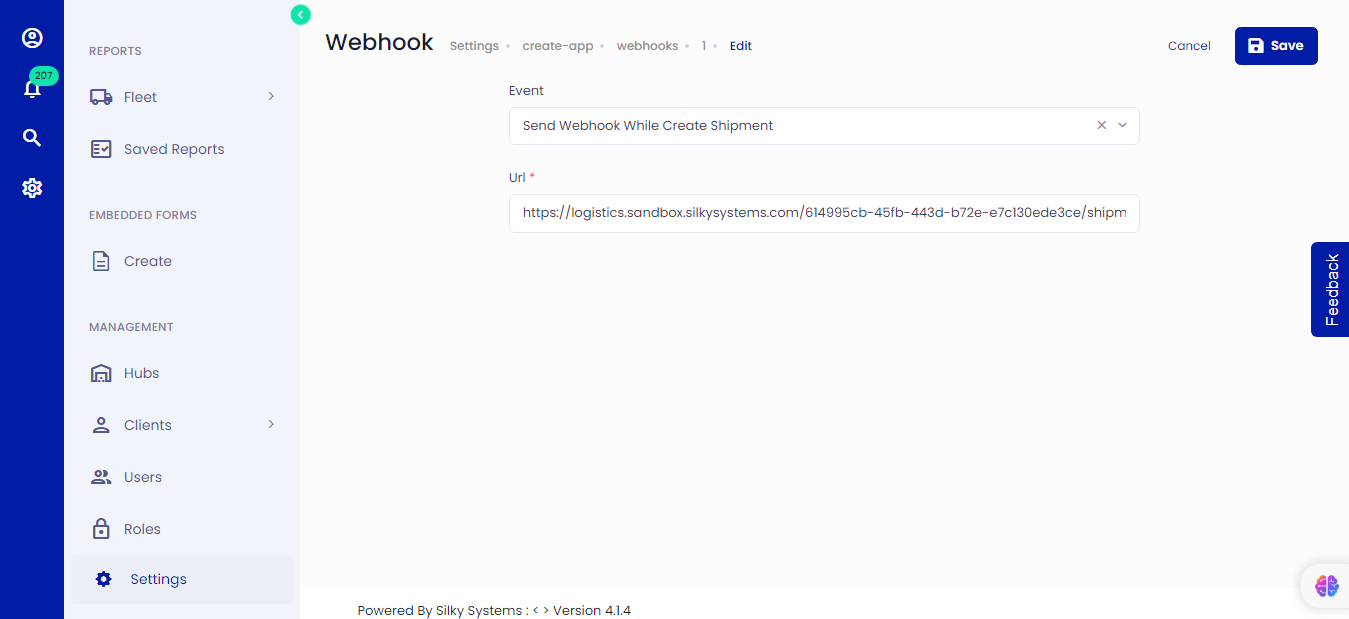 Figure.04 Webhook
7. Conclusion
Webhooks are a valuable tool for real-time data integration and communication between your application and external systems. By following the steps outlined in this documentation, you can create, view, edit, and manage webhooks to enhance your application's capabilities and automate processes.