Receivers
Receivers Overview
Receivers are those who are targeted to receive the Receiver delivery. You can create, update or delete receivers from this section.
Receiver List
When you click on the Receivers tab from the top menu, you can view all the Receiver information, as shown below.
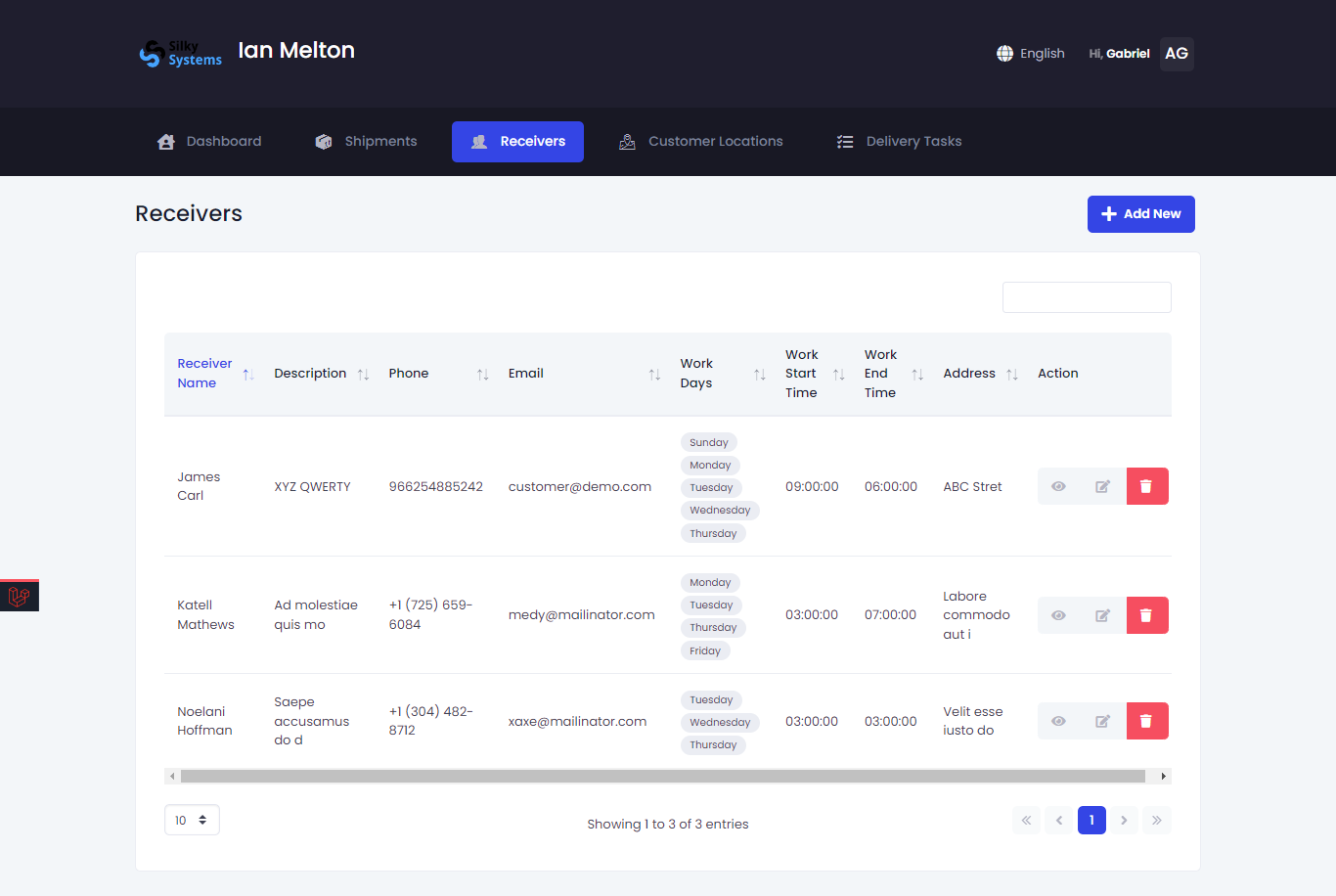 Figure.01 Receivers
View Receiver
To view detailed information regarding any Receiver, under the Action column, click on the three vertical dots, then click on Details.
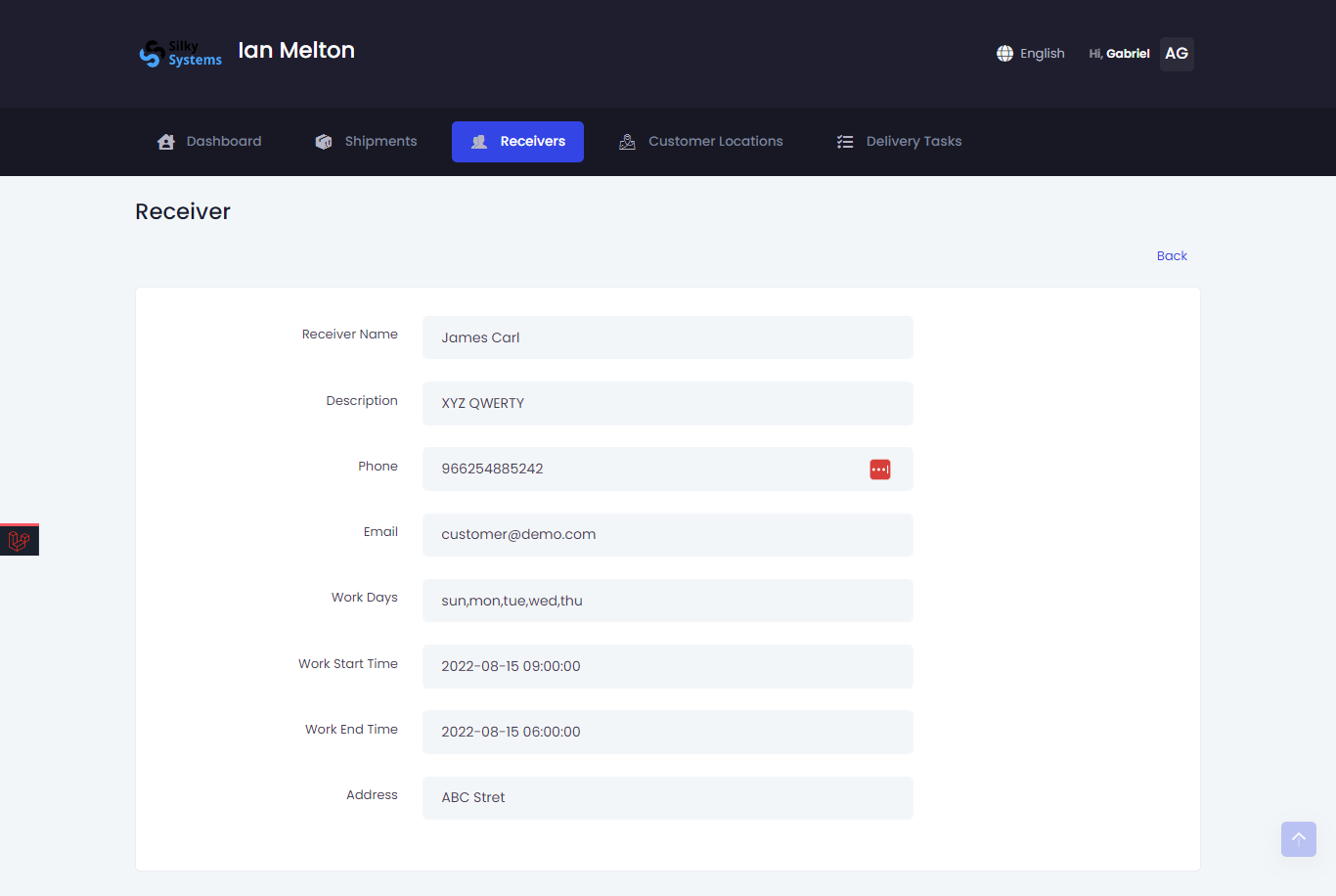 Figure.02 Receivers Details
Create Receiver
To create a new Receiver:
- Click on Add New from the Receiver List.
- Fill in all the details regarding the Receiver.
- Provide the correct address.
- Click save when you are done.
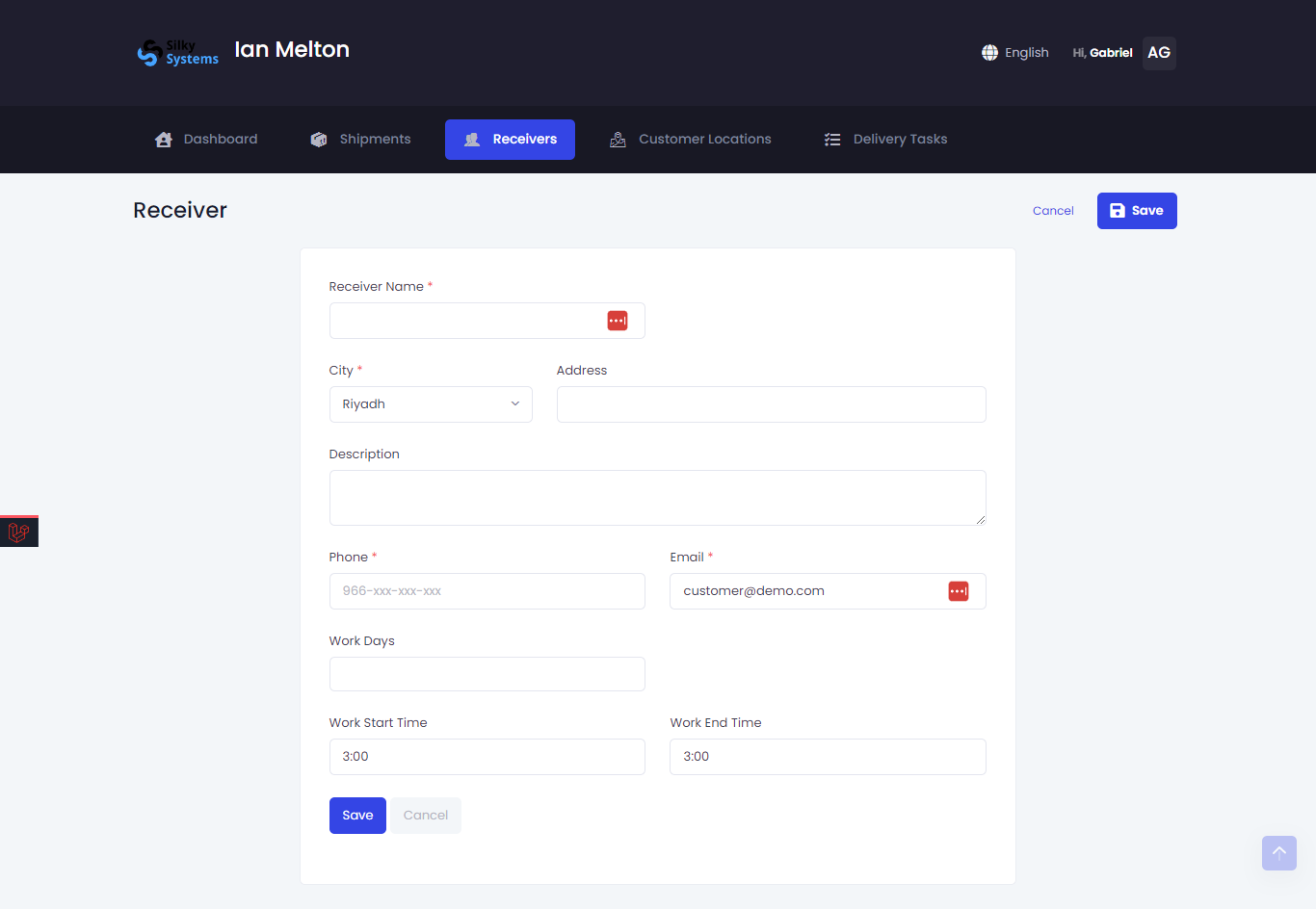 Figure.03 Create Receiver
Edit Receiver
You can Edit your Receiver by clicking on the edit icon from the Receiver List.
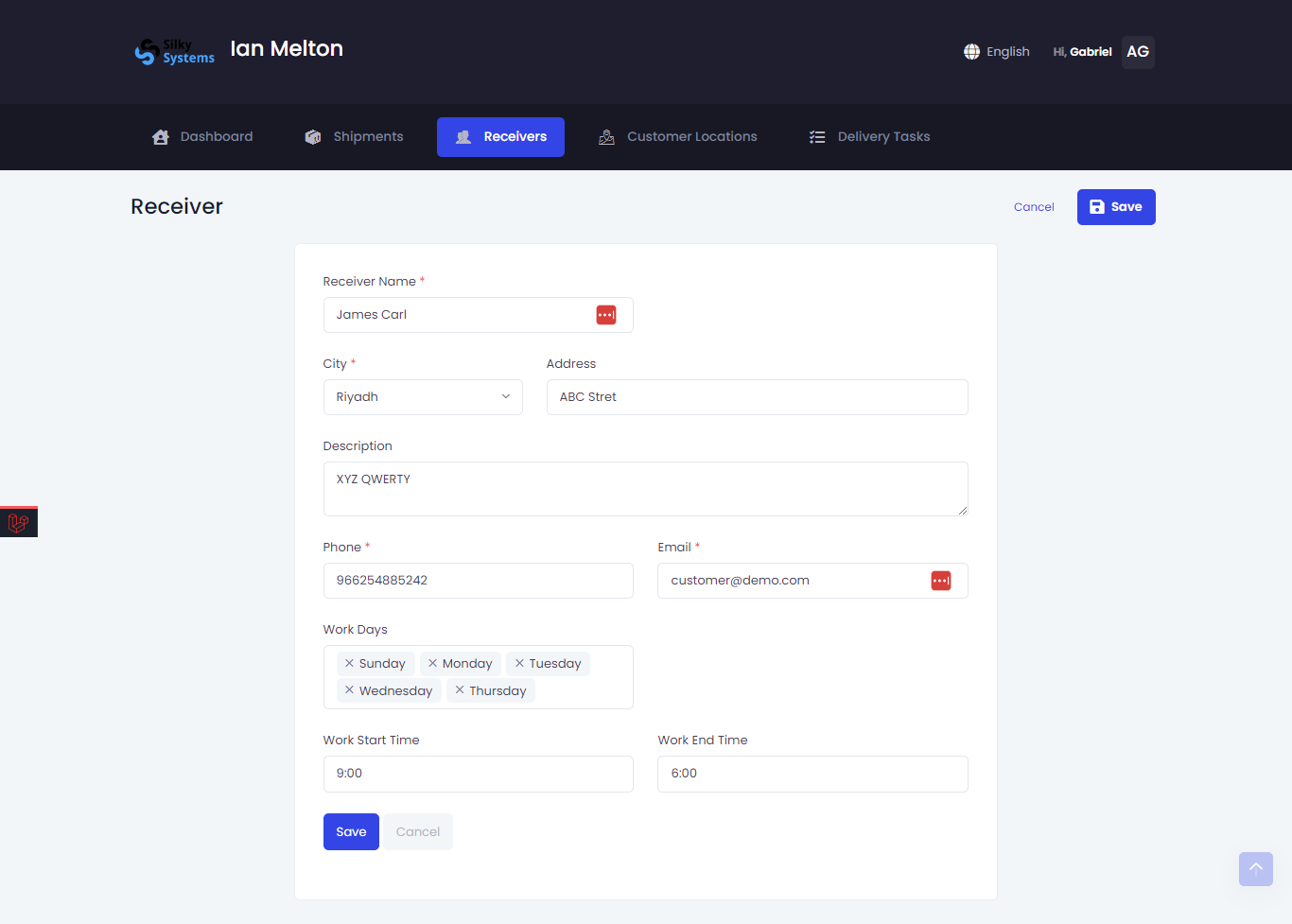 Figure.04 Edit Receiver