Delivery Tasks
Delivery Tasks Overview
Delivery Tasks allow you to create specific tasks to track and deliver the shipments.
Delivery Tasks List
You can add, update or delete the delivery Tasks from the Delivery Tasks List.
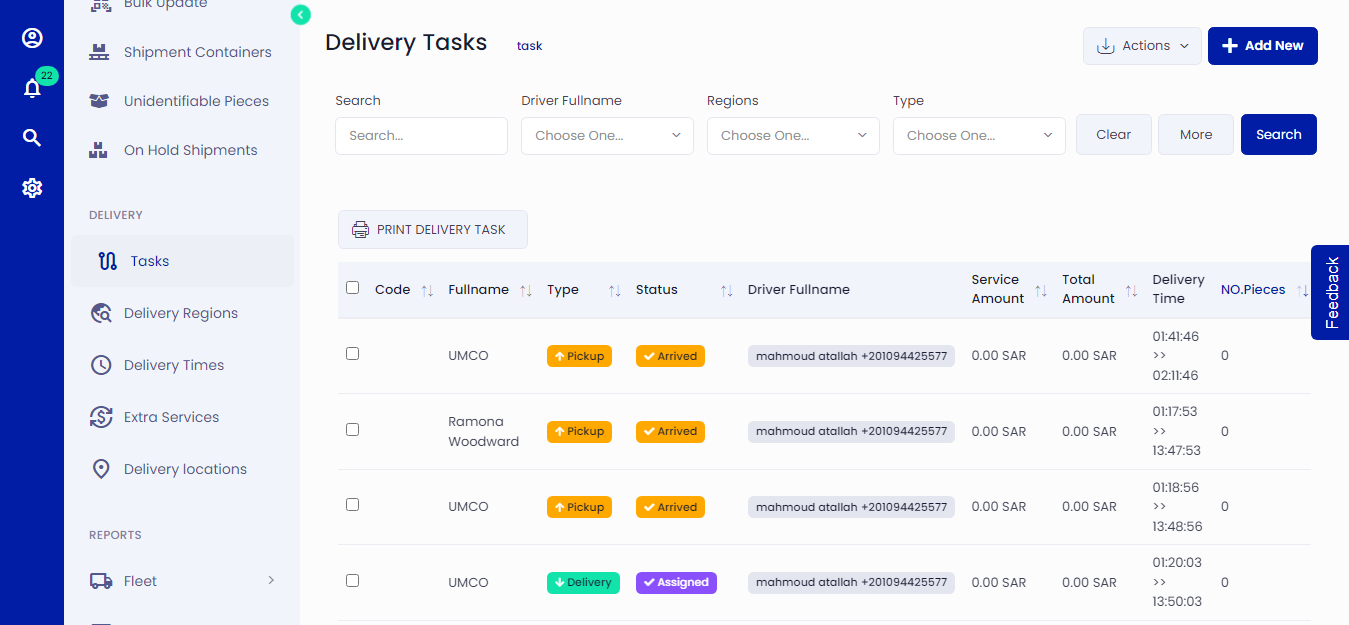 Figure.01 Delivery Tasks List
Add Delivery Tasks
You can create different tasks for various shipments. Click on Delivery Tasks on the left side menu and then click Add New. Follow the step by step process and fill in all the required information.
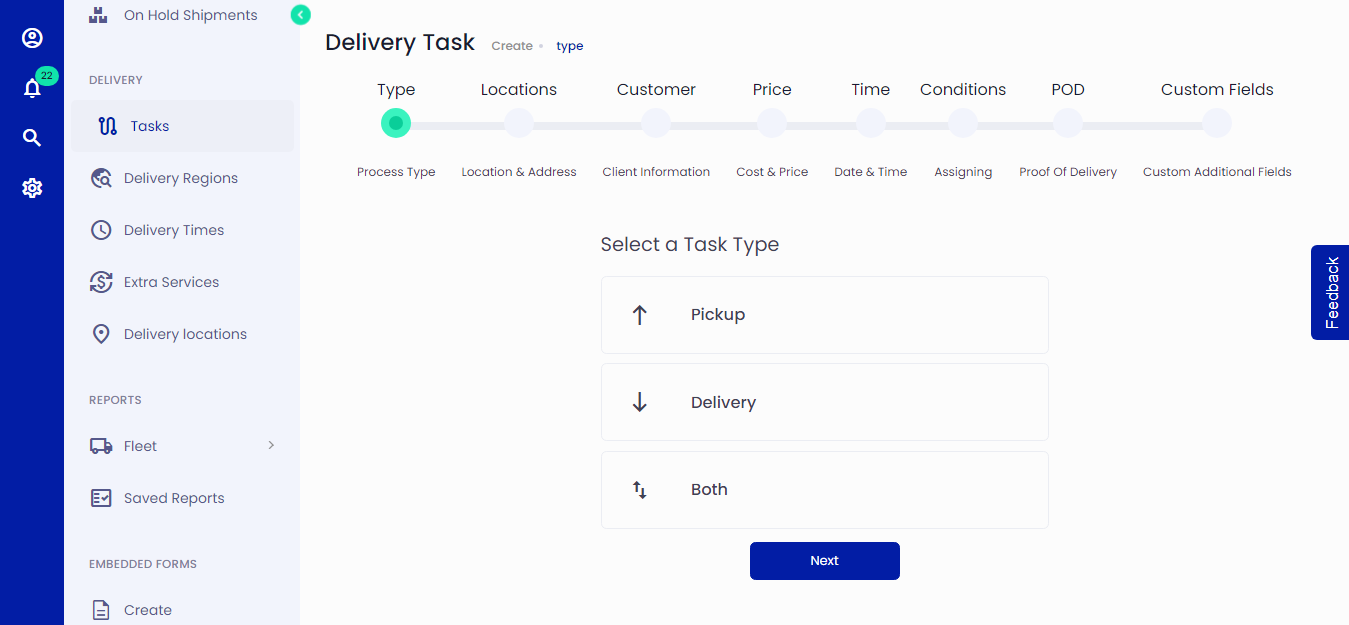 Figure.02 Add Delivery Tasks
Update Delivery Tasks
You can edit delivery Tasks by clicking on the edit icon from Delivery Tasks List.
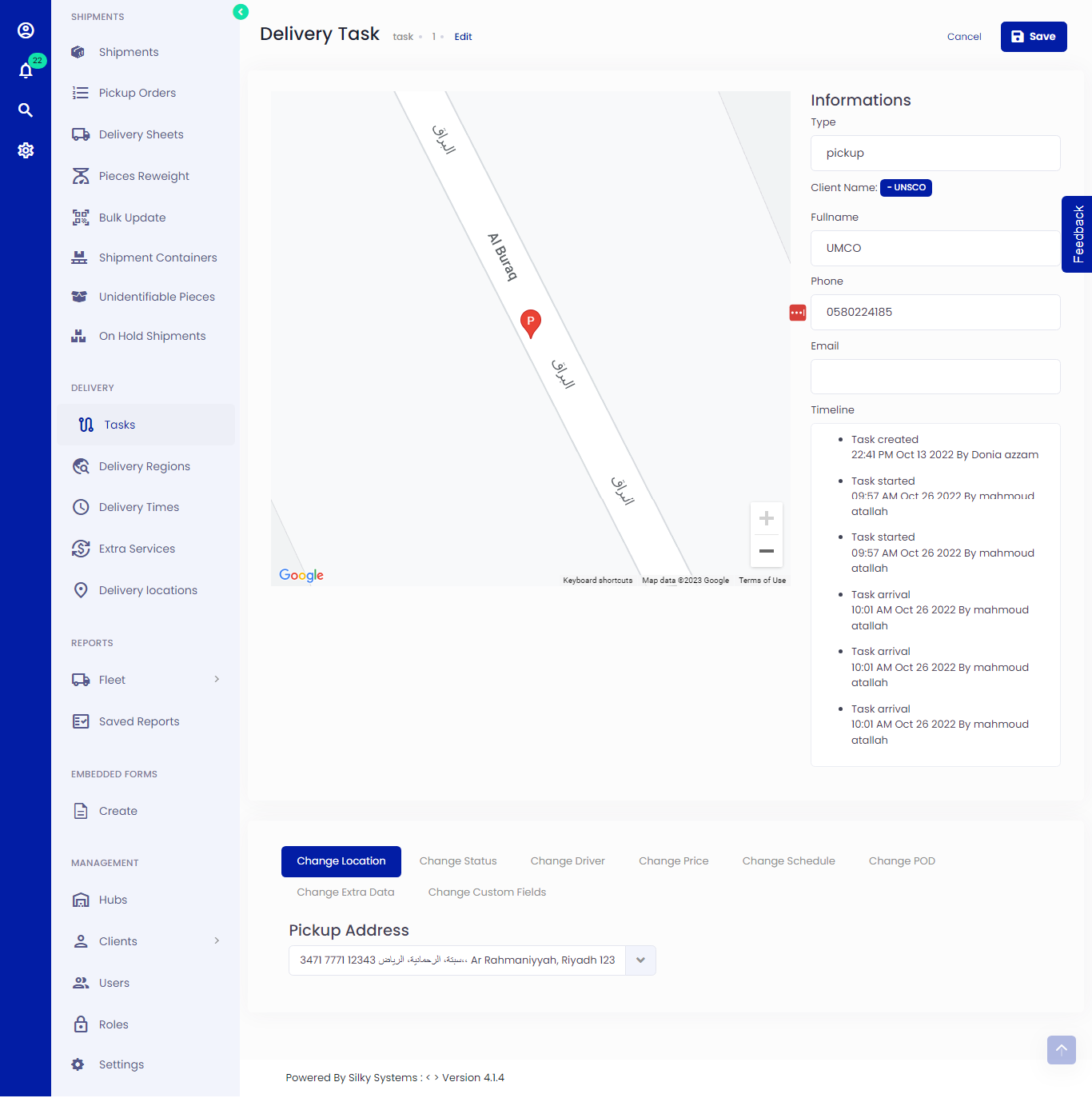 Figure.03 Edit Delivery Tasks
View Delivery Tasks
You can view delivery Tasks by clicking on the view icon from Delivery Tasks List.
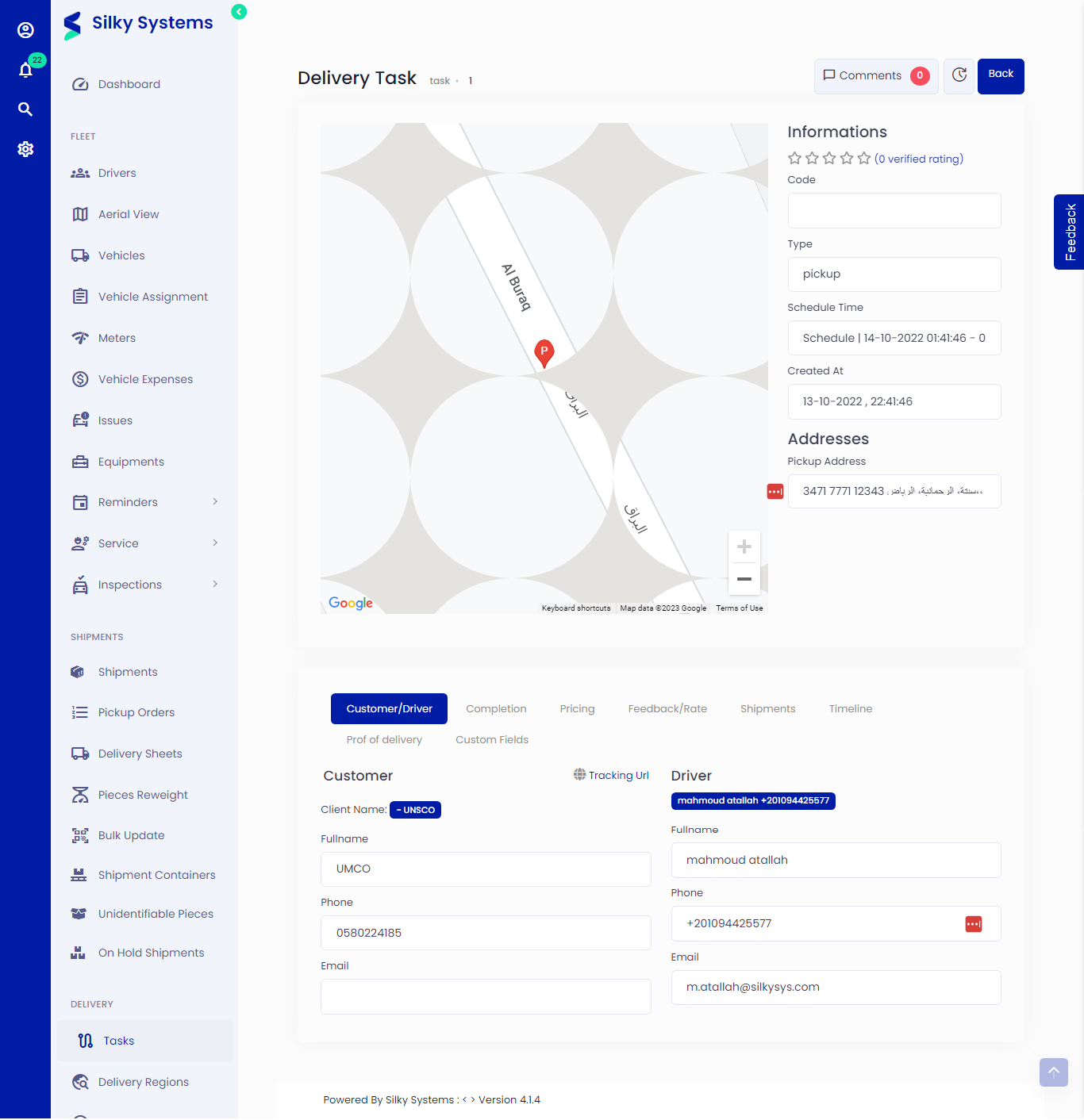 Figure.04 View Delivery Tasks