Fleet Reports
Introduction
The Fleet Reports Page is a powerful tool for fleet managers and administrators to monitor and analyze various aspects of their vehicle fleet. This documentation provides an overview of the different types of reports available on this page and their respective functionalities.
Accessing Fleet Reports
To access the Fleet Reports Page, log in to your logistics system, navigate to the Reports section and click on Fleet. Here, you will find a variety of reports to help you gain insights into your fleet's performance and expenses.
Report Features
Filters
You can refine your reports by applying various filters such as date range, specific vehicles, or status. Filters allow you to focus on the specific data you need for analysis.
Saving a Report
After generating a report with your chosen parameters and filters, you have the option to save it for future reference. This is useful for tracking changes over time and maintaining historical records.
Export to CSV
Reports can be exported to CSV format, which is compatible with spreadsheet software like Microsoft Excel. Exporting to CSV enables further data manipulation and analysis.
Print
You can easily print your reports directly from the Fleet Reports Page. This feature is helpful when you need physical copies for meetings or documentation.
Available Reports
1. Vehicles Report
The Vehicles Report provides a comprehensive list of all vehicles in your fleet. It includes details such as vehicle make and model, registration information, and current status.
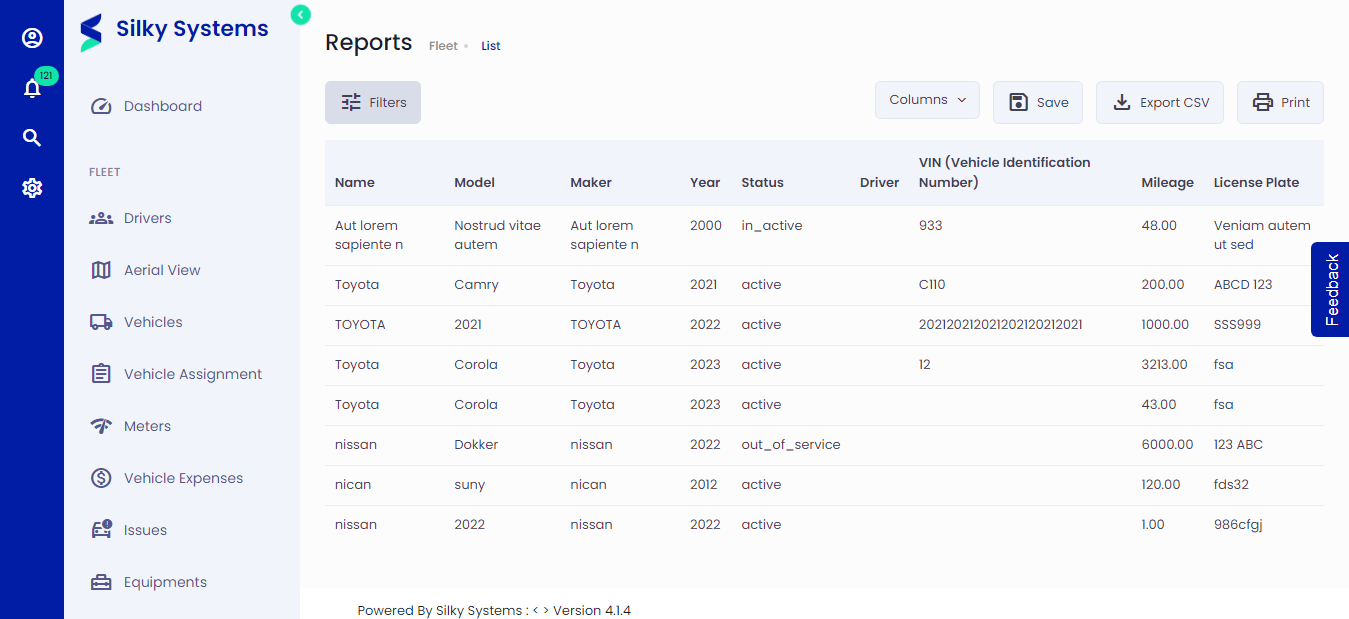 Figure.01 Vehicles Report
2. Vehicle Issues Report
The Vehicle Issues Report allows you to track and manage issues and maintenance needs for each vehicle in your fleet. You can monitor ongoing problems, their status, and the history of maintenance and repairs.
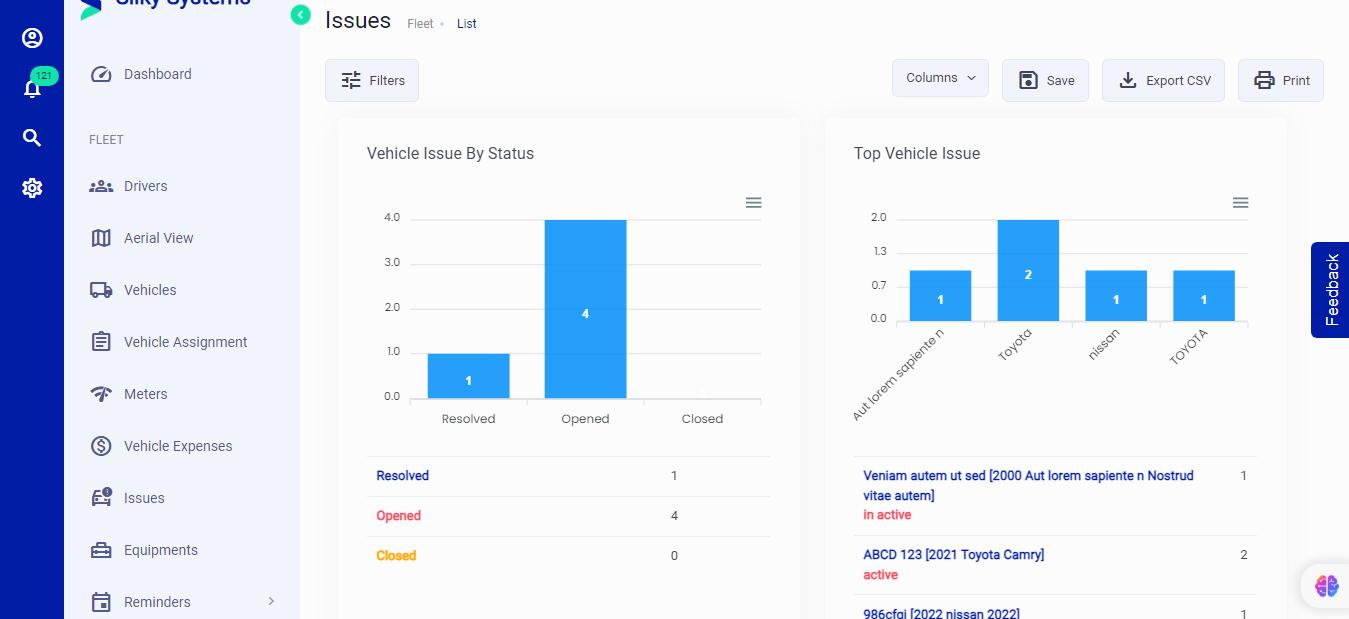 Figure.02 Vehicle Issues Report
3. Operating Costs Report
The Operating Costs Report displays a breakdown of the operational expenses incurred by each vehicle over a specified period. This report is invaluable for budgeting and cost control.
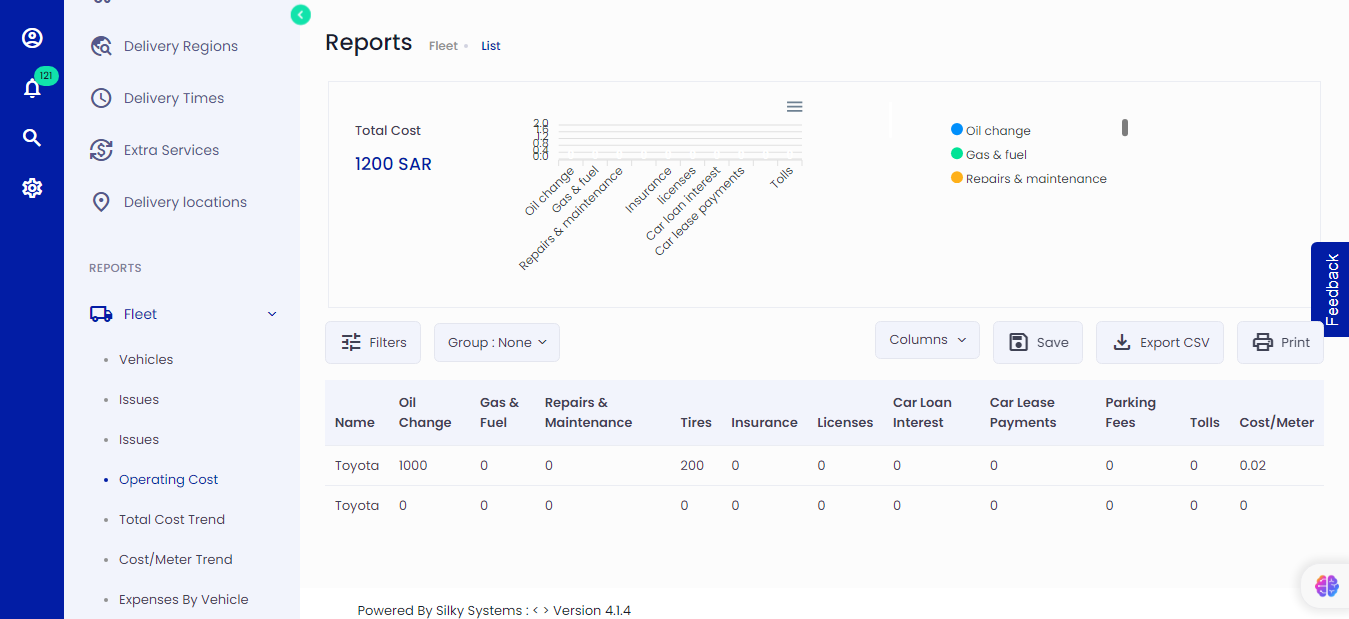 Figure.03 Operating Costs Report
4. Total Cost Trend Report
The Total Cost Trend Report provides a graphical representation of the overall cost trend for your fleet over time. This helps you identify cost fluctuations and make data-driven decisions.
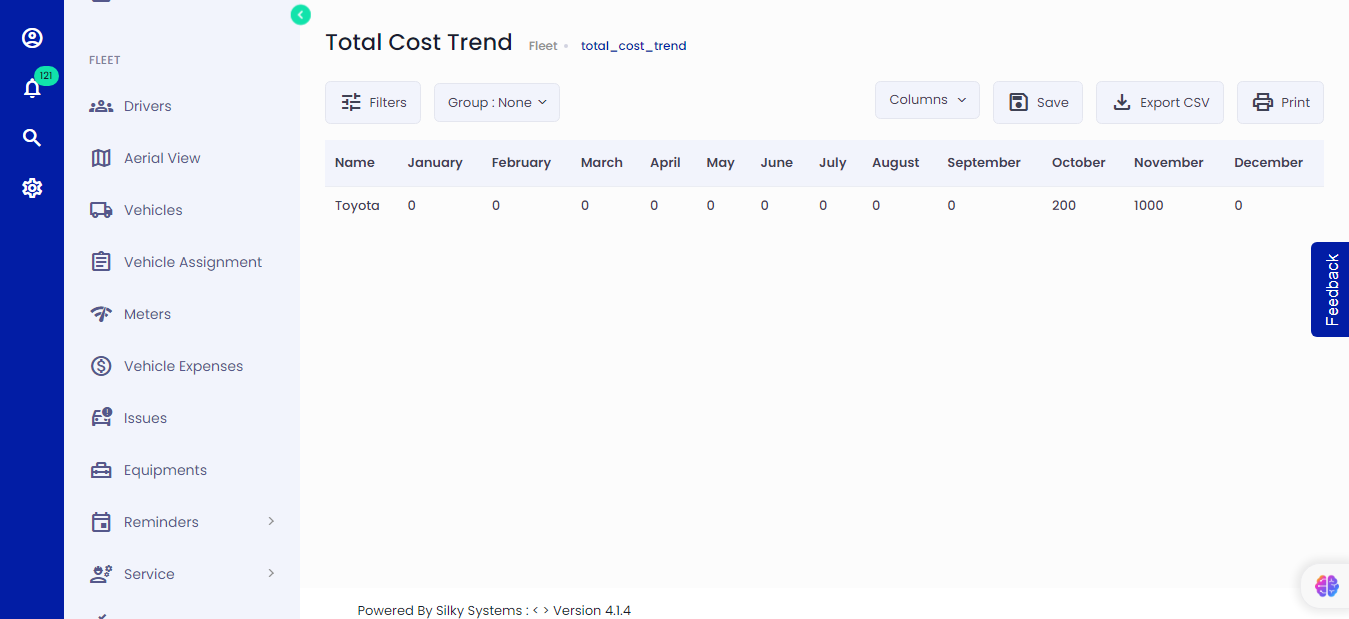 Figure.04 Vehicles Report
5. Cost per Meter Trend Report
The Cost per Meter Trend Report shows the cost per meter (or mile) driven by your vehicles. It helps you assess efficiency and cost-effectiveness in relation to the distance traveled.
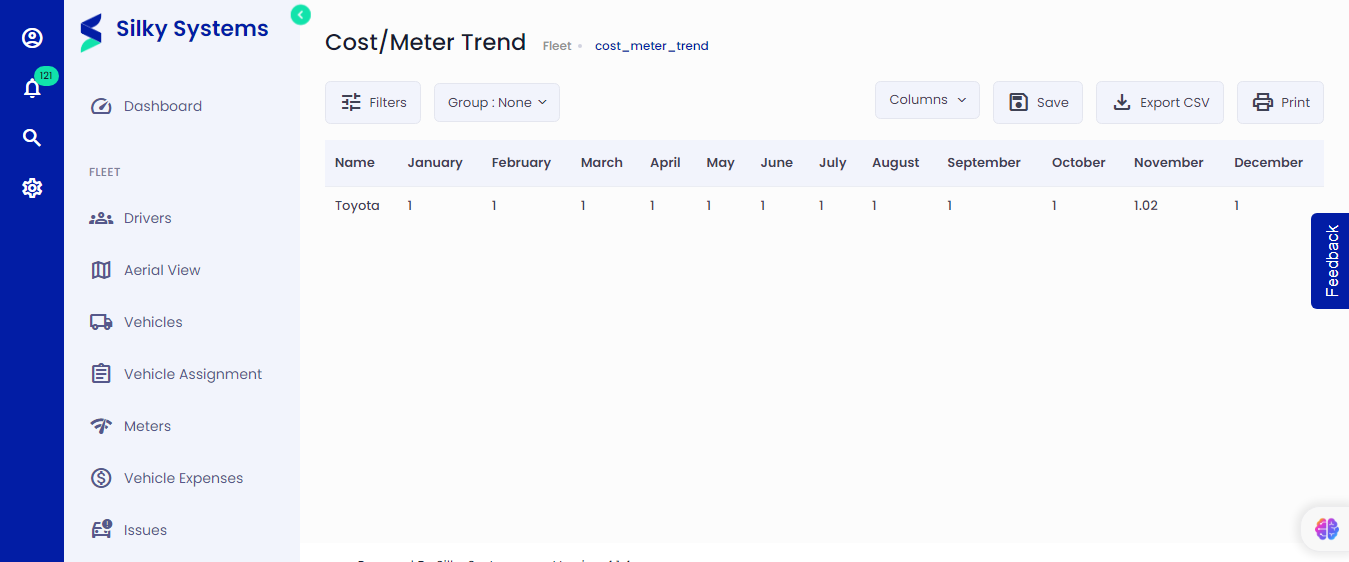 Figure.05 Cost per Meter Trend
6. Expenses by Vehicle Report
The Expenses by Vehicle Report breaks down expenses for each individual vehicle in your fleet. This report allows you to compare costs across vehicles and identify outliers.
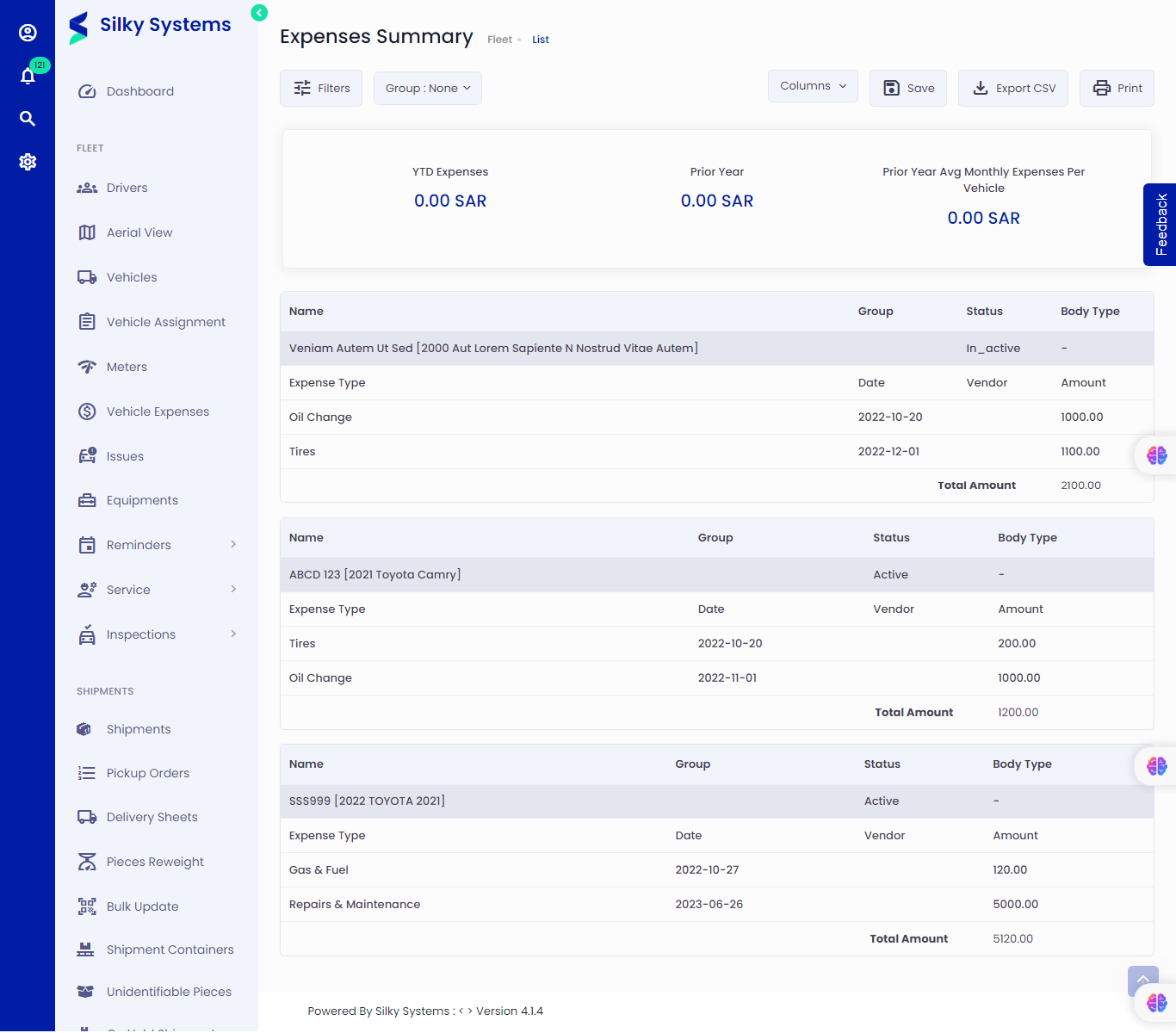 Figure.06 Expenses by Vehicle
7. Expenses Summary Report
The Expenses Summary Report provides a consolidated summary of all expenses incurred by your fleet during a specified period. It's an essential tool for tracking overall financial performance.
8. Utilization Summary Report
The Utilization Summary Report offers insights into how effectively each vehicle in your fleet is utilized. It includes metrics such as mileage, usage patterns, and idle times.
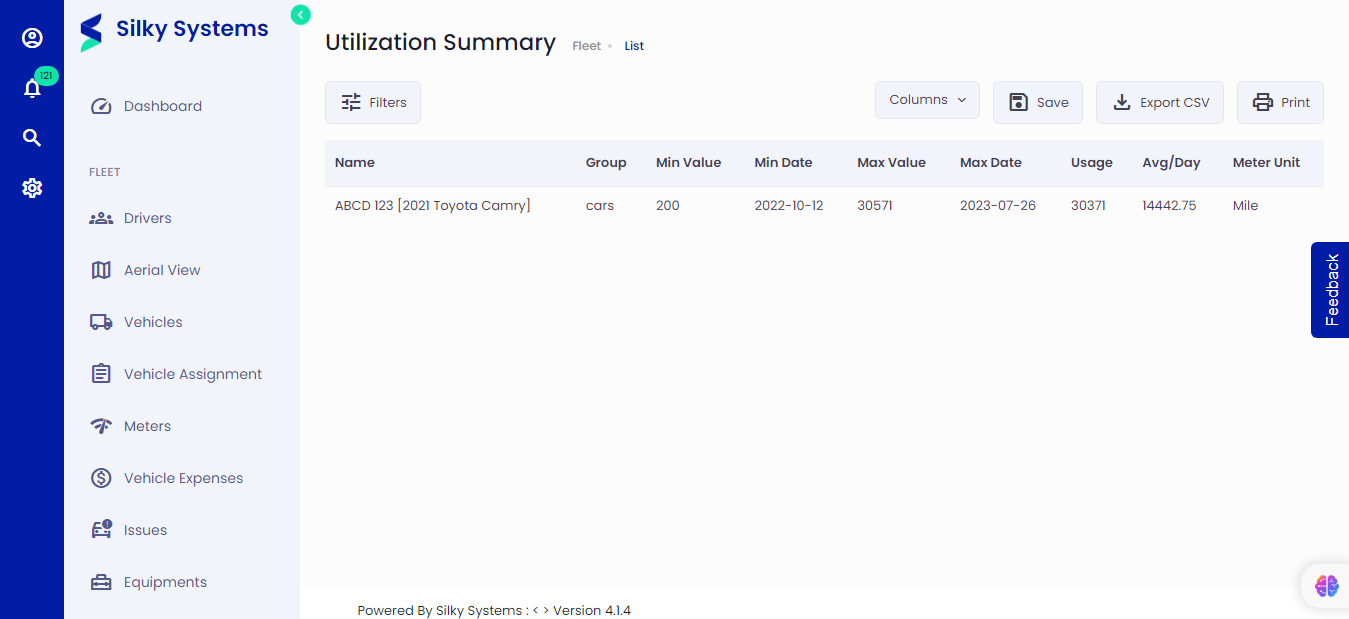 Figure.08 Utilization Summary Report
9. Cost Comparison (Year in Service) Report
The Cost Comparison (Year in Service) Report helps you compare the costs of vehicles based on the number of years they have been in service. This allows you to assess the cost efficiency of older versus newer vehicles.
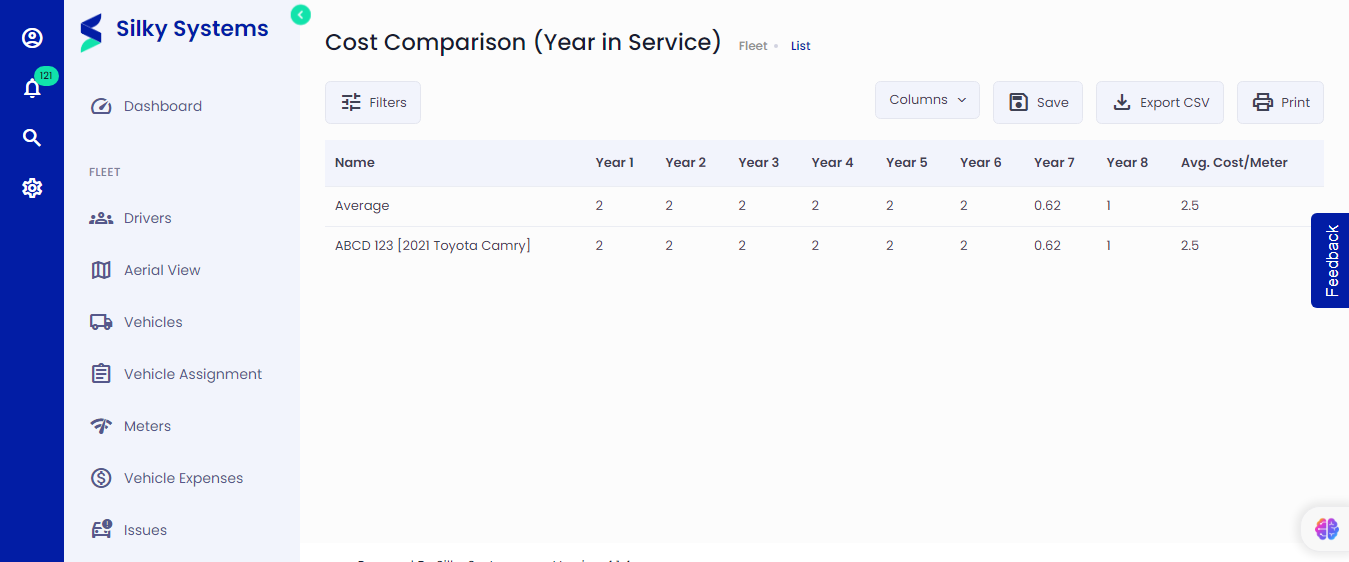 Figure.09 Cost Comparison
Conclusion
The Fleet Reports Page provides a comprehensive set of reports and useful features to help you efficiently manage and optimize your fleet. These reports offer valuable insights into vehicle performance, expenses, and trends, while the provided features make it convenient to customize, save, and share your reports as needed. This empowers you to make informed decisions and enhance the overall efficiency of your fleet management.